Why Theme Consistency Matters for Markdown and Code
Most code viewers and Markdown apps treat themes as a simple background color swap. Set the background to dark, and you have dark mode. The problem is that syntax highlighting colors designed for a white background are often illegible against dark backgrounds, and vice versa. A yellow string literal that stands out on white becomes nearly invisible on a cream background. A bright red keyword that works in light mode creates excessive visual tension in a dark environment.
Genuinely useful themes coordinate the entire document: background color, prose text, headings, code blocks, Mermaid diagram backgrounds, and the full palette of syntax highlighting tokens including keywords, strings, comments, types, operators, numbers, and function names. Telescopo Markdown Studio designs each of its 30 themes as a complete reading and authoring environment.
Themes Included in Telescopo Markdown Studio
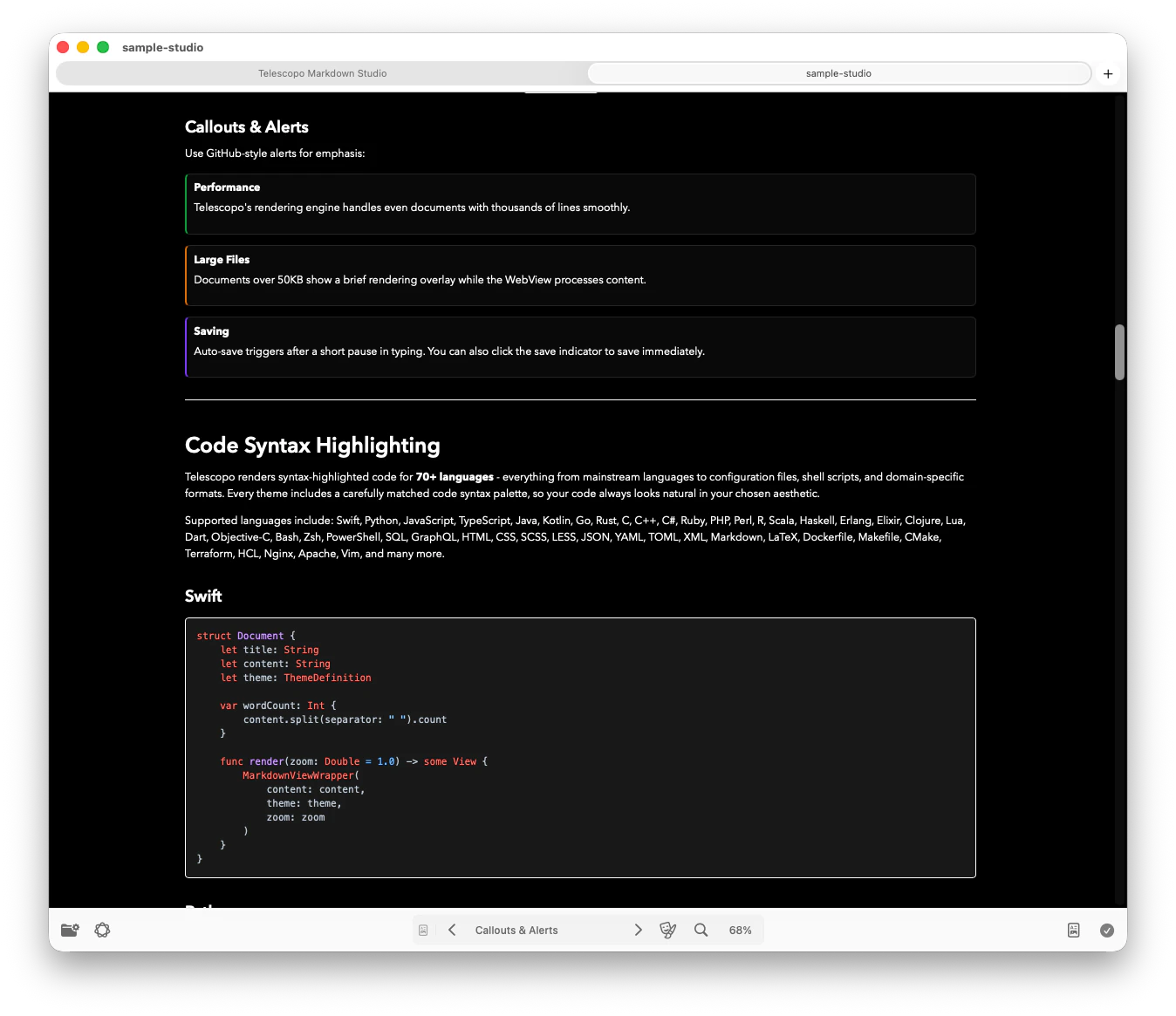
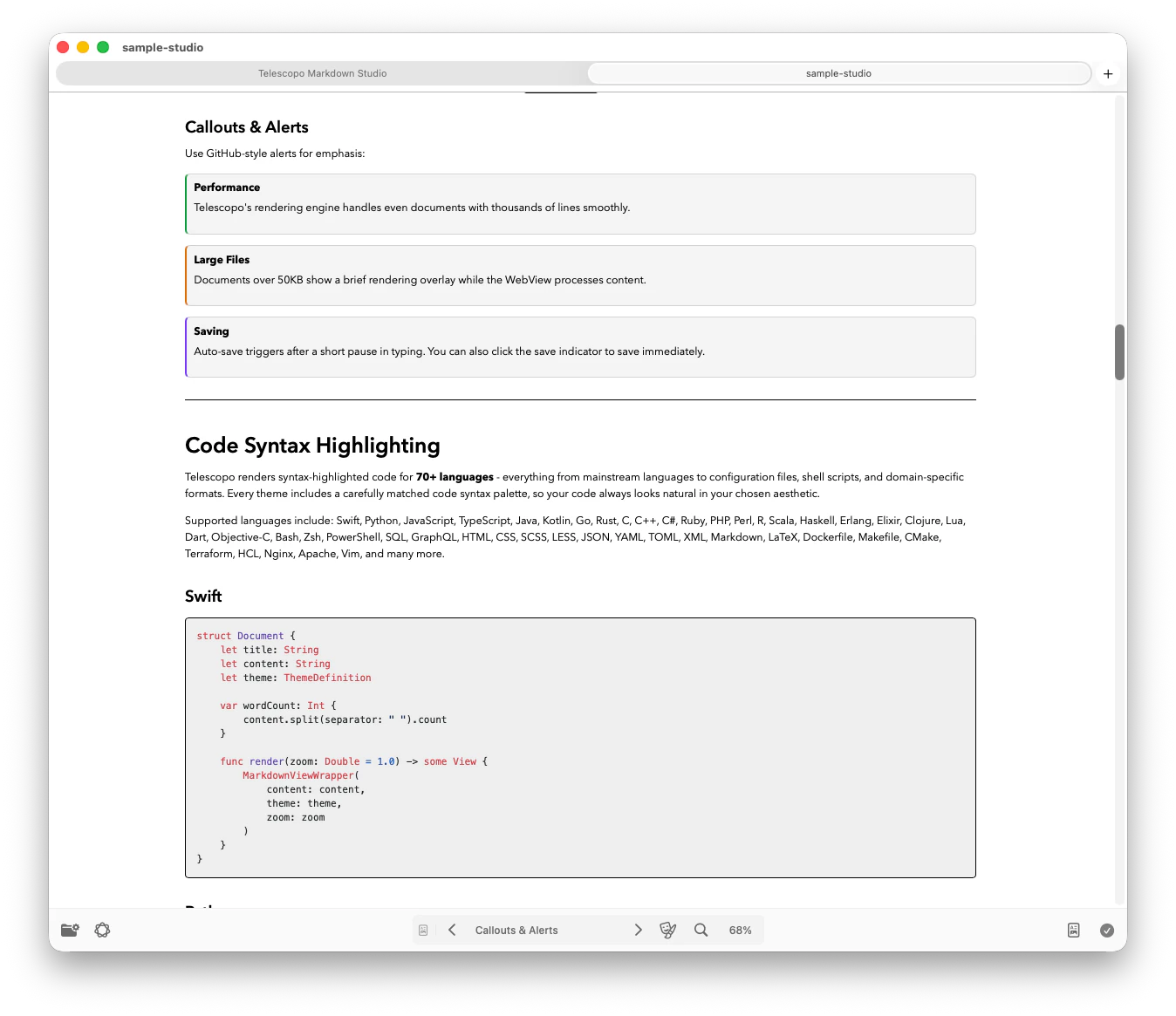
Telescopo Markdown Studio includes the core themes most people need for comfortable reading: Light, Dark, Contrast Light, and Contrast Dark. The Contrast themes are built for users who need stronger separation between text, code, links, and document structure.
Light
A clean reading canvas for daytime work, documentation review, and Markdown browsing in bright environments.
Dark
A dark reading mode for low-light environments, late sessions, and users who prefer a calmer document background.
Contrast Light
A high contrast light theme for accessible reading, stronger visual boundaries, and clearer Markdown structure.
Contrast Dark
A high contrast dark theme for users who need sharper text, stronger focus, and reduced ambiguity in long Markdown documents.
The Full 30-Theme Telescopo Library
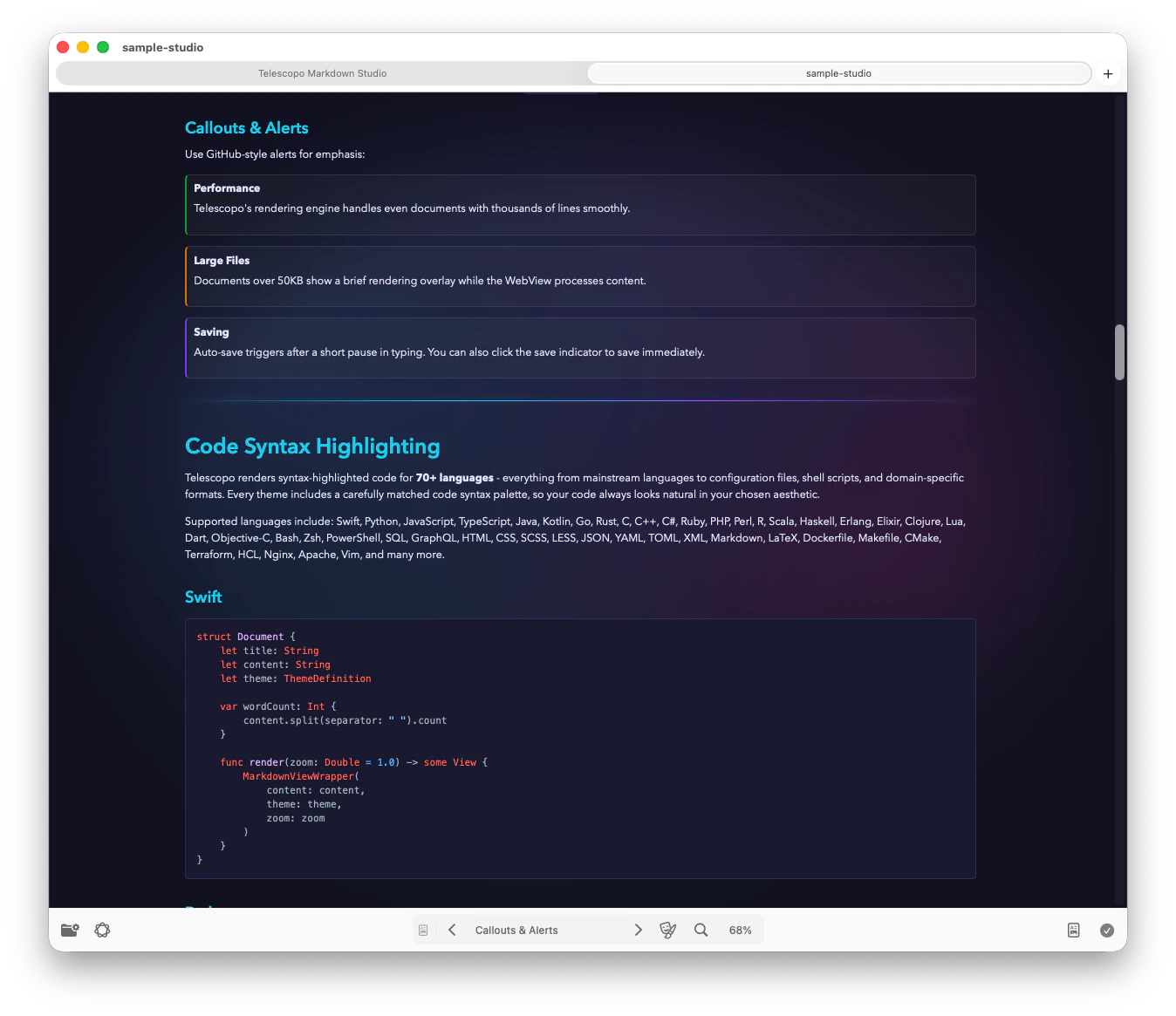
Telescopo Markdown Studio includes a complete theme library for people who create, edit, preview, export, and query Markdown documents every day. The library includes 30 themes, with 5 animated themes: Cyberpunk, Bad Command, Cyberspace, Aurora, and Lamplight.
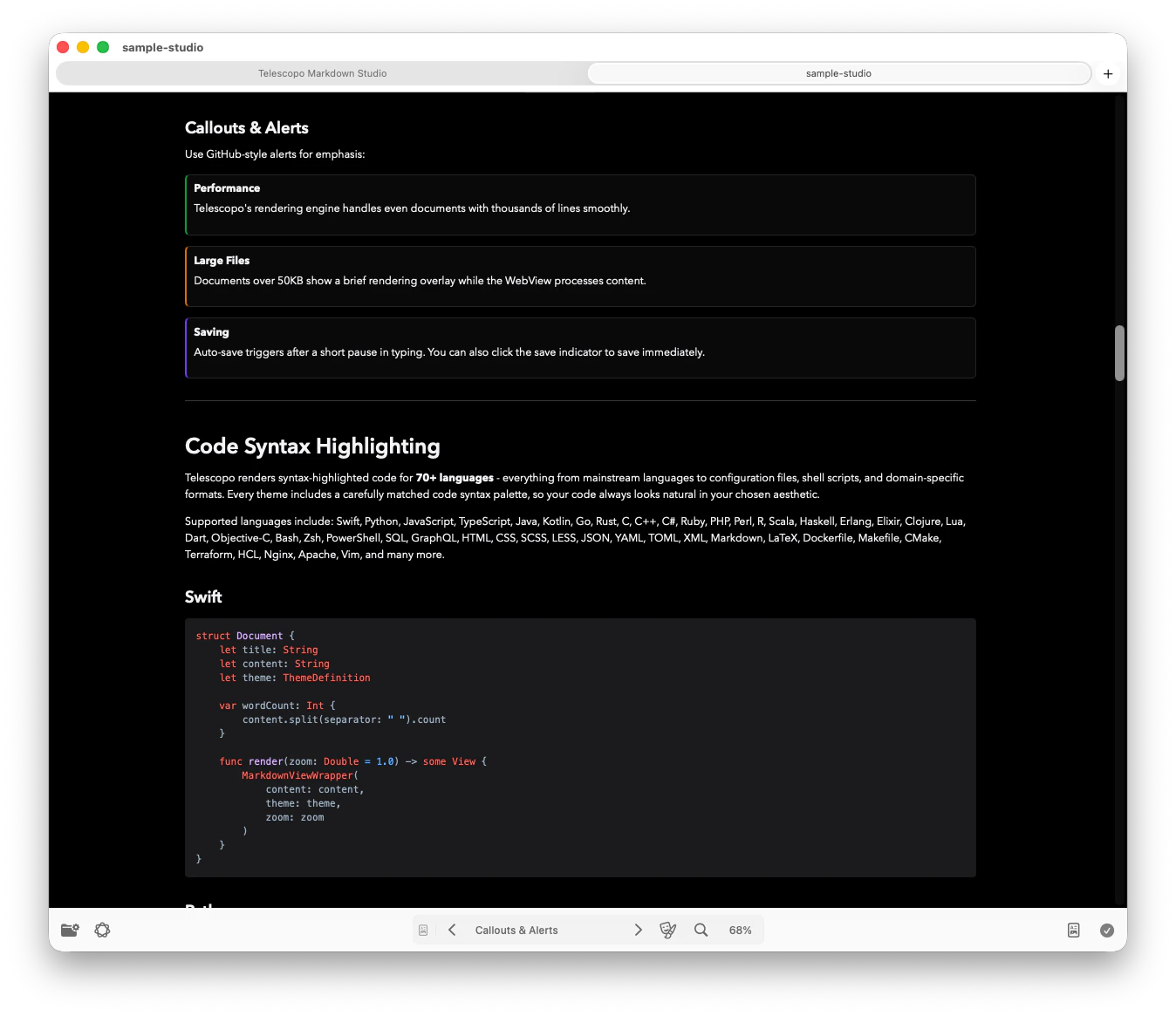
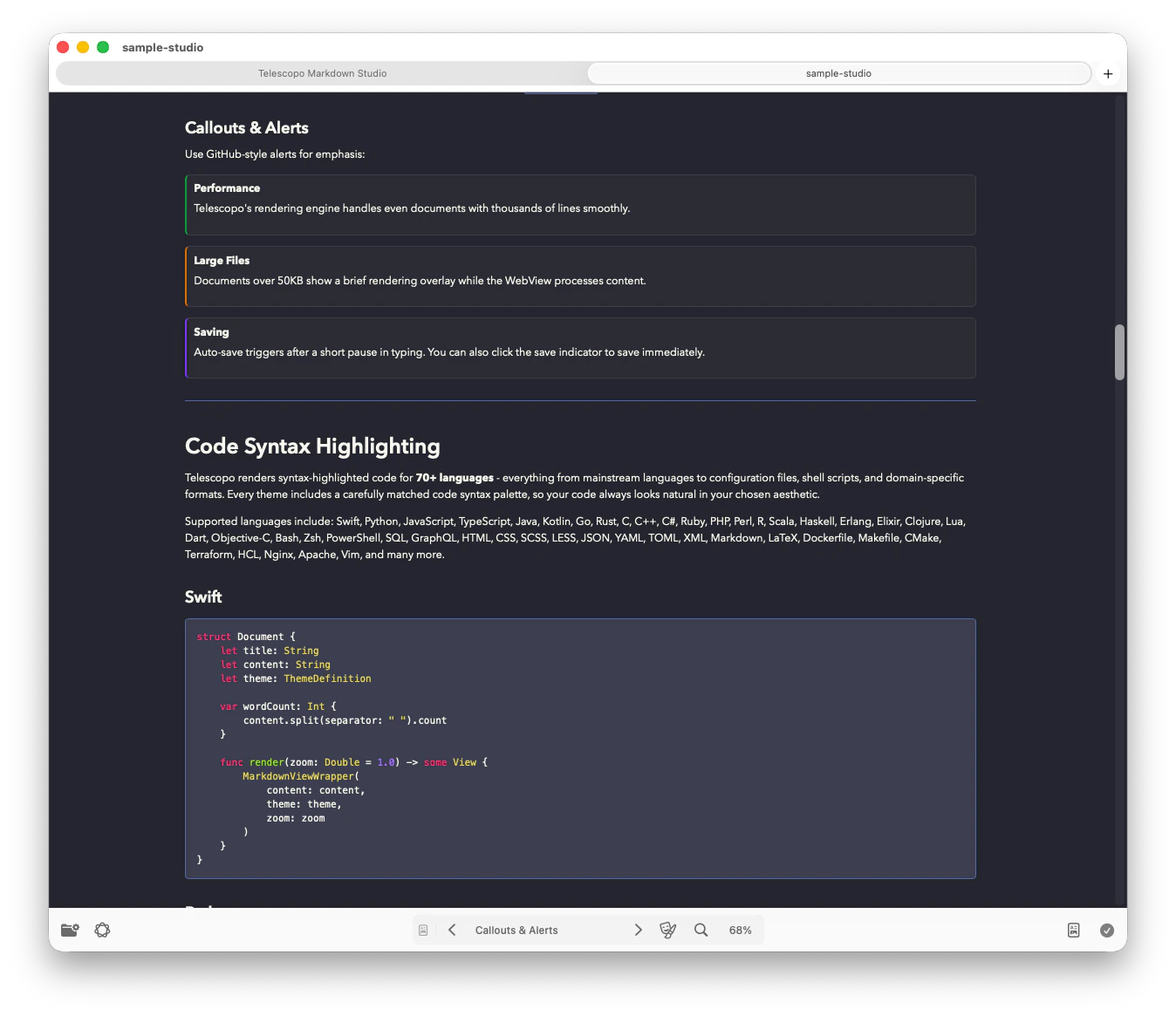
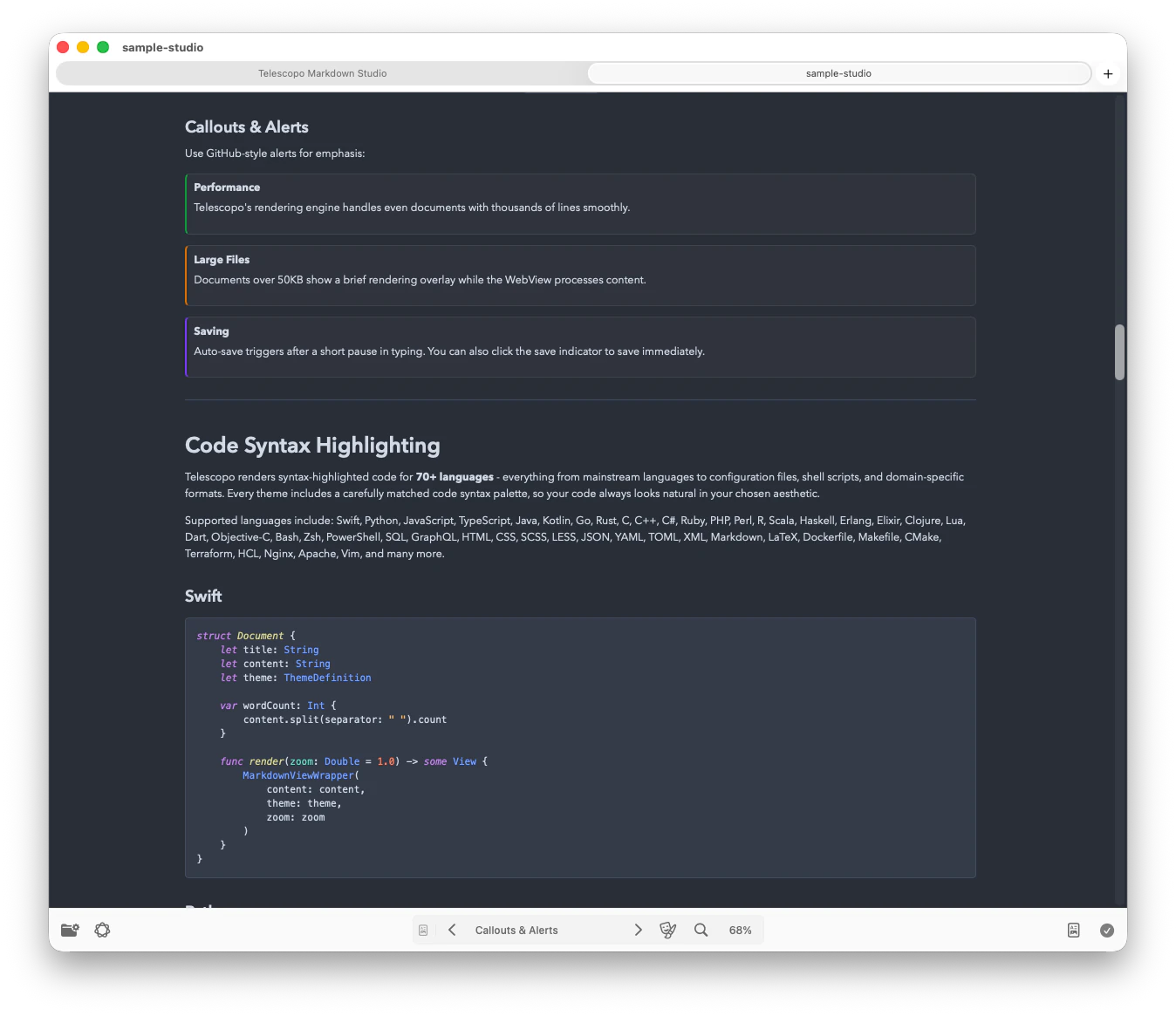
Animated Themes
Cyberpunk, Bad Command, Cyberspace, Aurora, and Lamplight add motion and atmosphere for Telescopo Markdown Studio users who want a more expressive writing workspace.
Theme-Aware Syntax Highlighting
Code blocks and supported source files use token colors tuned for each theme, so keywords, strings, comments, and functions remain readable.
Markdown, Mermaid, and Exports
Telescopo Markdown Studio themes coordinate Markdown prose, code blocks, Mermaid diagram backgrounds, and styled PDF export so documents feel coherent on screen and in final output.
Designed for Long Sessions
The theme library gives readers and authors a wide range of contrast, warmth, color, and motion choices for different displays and lighting conditions.
Themes Apply Across All File Types
Every Telescopo Markdown Studio theme in Telescopo applies consistently across supported authoring and reading surfaces. When you switch themes, your Markdown document, code blocks, Mermaid diagrams, and supported source files all move into the same visual system. There is no mismatch where prose uses one palette and code uses another.
This consistency reduces cognitive load. You build one set of visual associations for your preferred theme, and those associations transfer to every Markdown and code document you open. After a week of writing in a theme, you can glance at a syntax-highlighted block and recognize token categories by color alone.
Related: Code Viewer for Mac: Dynamic Syntax Highlighting for 70+ Languages - how themes coordinate syntax highlighting across all code files.
Related: Native SVG Viewer for Mac - themes also apply to SVG viewing with transparency inspection against different backgrounds.
Accessible Fonts Across Telescopo
Theme accessibility is only half of comfortable reading. Font selection is available in Telescopo Markdown Studio, so you can choose any installed macOS font for Markdown reading, including accessibility-focused and dyslexic-friendly fonts.
These controls work together across the complete Telescopo workspace to make long Markdown documents easier to read: light and dark themes, high contrast themes, reading width adjustment, zoom, and custom fonts.
Related: Accessible Markdown Writing on Mac covers macOS Increase Contrast, Light and Dark Appearance, and dynamic font selection.
Switching Themes Instantly
Theme switching in Telescopo is immediate. There is no animation delay, no document reload, and no flicker. The switch happens in a single frame, powered by the native compositing pipeline. You can switch between Light, Dark, Contrast Light, and Contrast Dark to compare readability, or use Telescopo Markdown Studio to cycle through all 30 themes to find the one that works best for the current file, without interrupting your reading or writing flow.
Frequently Asked Questions
Does Telescopo have a dark mode for reading code and Markdown?
Yes. Telescopo Markdown Studio includes Light, Dark, Contrast Light, and Contrast Dark as part of a complete 30-theme library for code, Markdown, diagrams, and exported documents.
How many themes does Telescopo have?
Telescopo Markdown Studio includes 30 themes, including 5 animated themes: Cyberpunk, Bad Command, Cyberspace, Aurora, and Lamplight. Light, Dark, Contrast Light, and Contrast Dark are included.
Do Telescopo Markdown Studio themes apply to syntax highlighting as well as the background?
Yes. Telescopo Markdown Studio themes coordinate the document background with syntax highlighting palettes, Mermaid diagram backgrounds, and Markdown prose. When you switch themes, keyword colors, string colors, comments, and operators update together.
Can I use accessibility fonts in Telescopo?
Yes. Font selection is available across Telescopo Markdown Studio, so you can use installed macOS fonts, including accessibility-focused and dyslexic-friendly fonts.