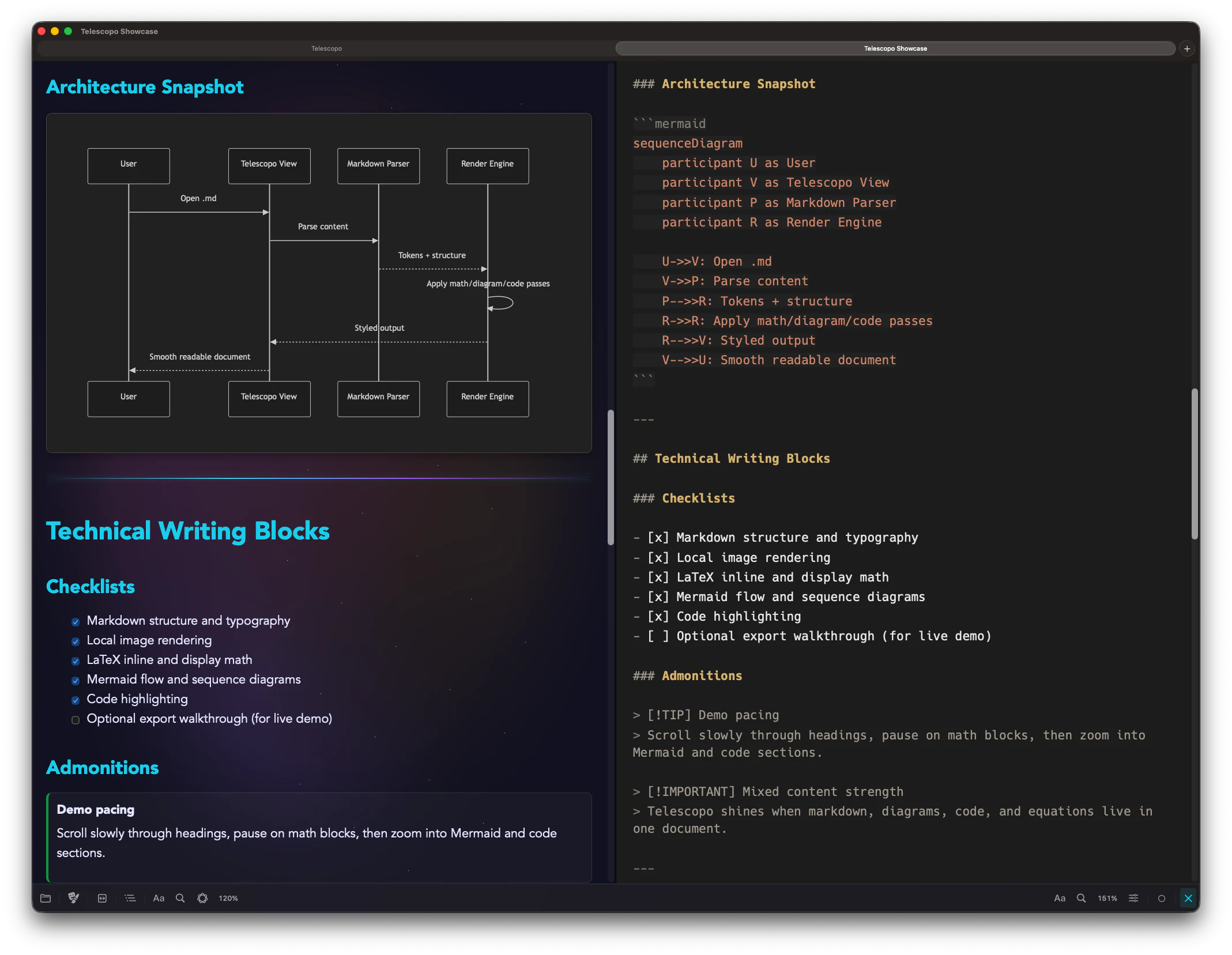
Telescopo Markdown Studio pairs a native Markdown editor with instant rendered preview, so your source and finished document stay side by side while you work.
Write source Markdown beside the rendered document in one focused macOS workspace.
Keep local files current with iCloud Sync and Live Monitoring while you edit or review.
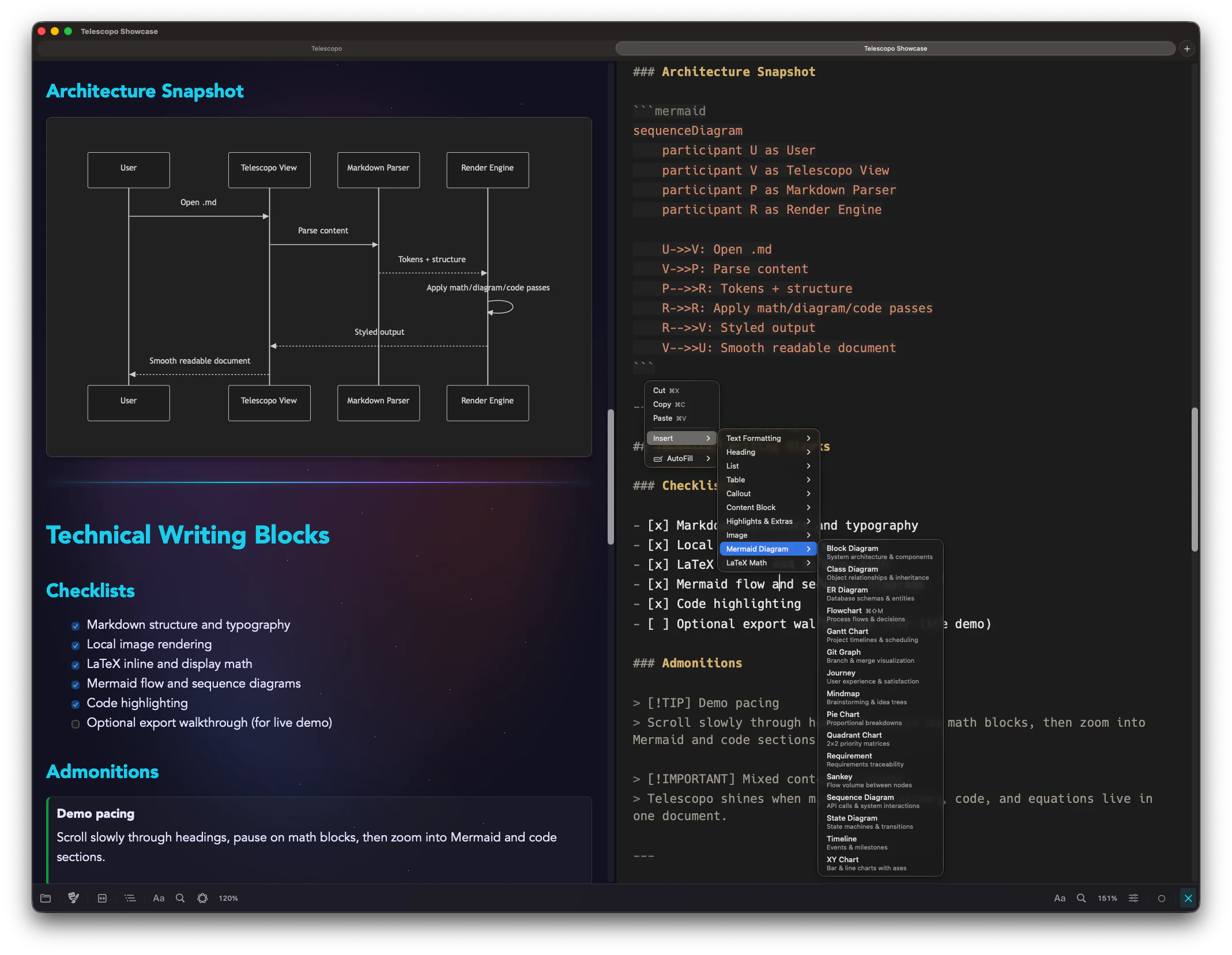
Format text and insert tables, callouts, Mermaid diagrams, LaTeX math, and advanced Markdown from a fast editor context menu. Start from 200+ templates, then refine the document in Telescopo.
Open quick editor tools to format text, insert tables, and add structured Markdown without leaving the document.
Drop in Mermaid diagrams, LaTeX math, callouts, and reusable blocks while staying in flow.
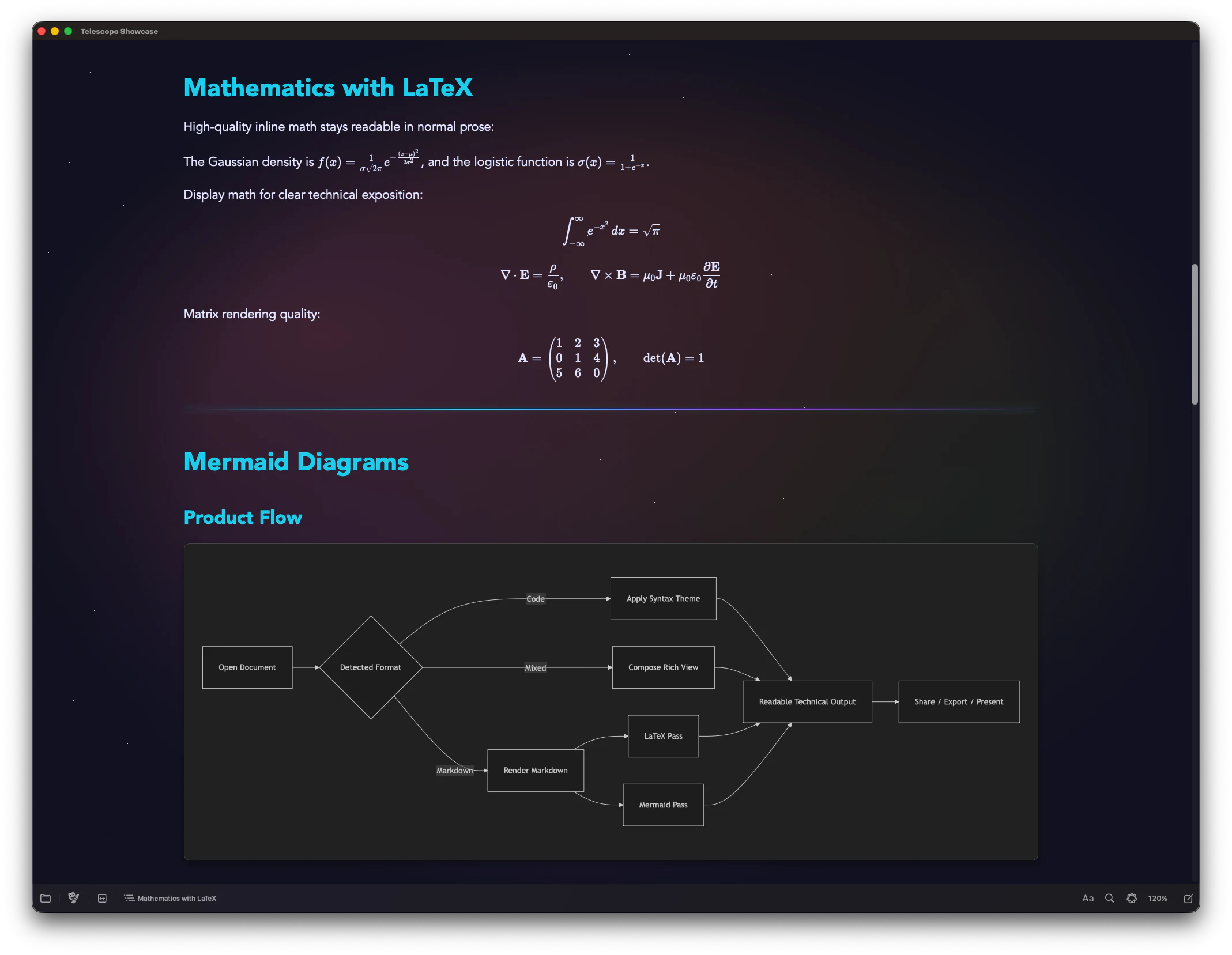
Included with Telescopo: embed Mermaid diagrams and LaTeX equations directly in your Markdown and render them natively, with no external tools or browser extensions required.
Mermaid Diagrams render flowcharts, sequence diagrams, Gantt charts, class diagrams, and more inside Markdown.
LaTeX Mathematics supports inline and display equations, from simple formulas to multi-line systems and matrices.
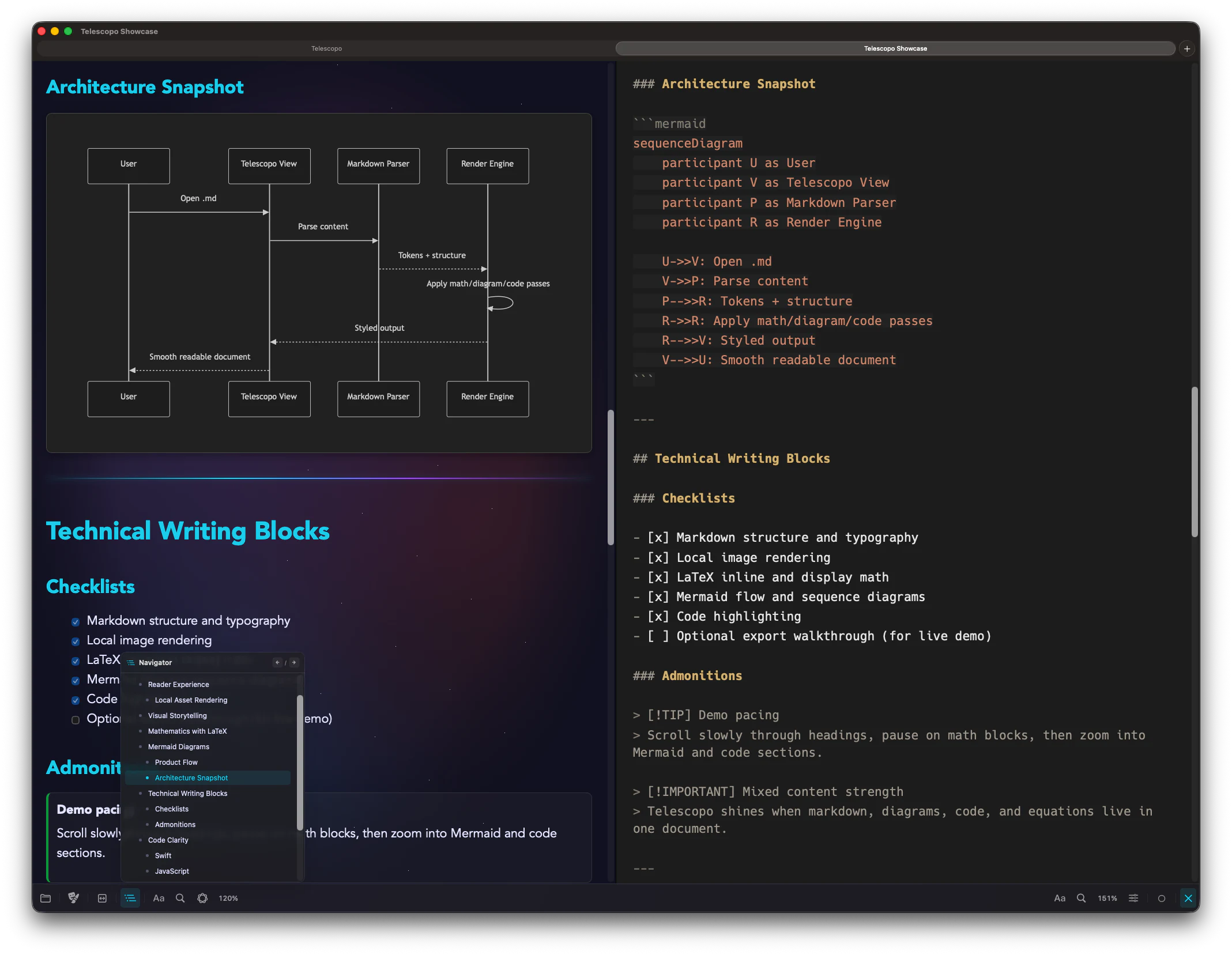
Included with Telescopo: Telescopo Navigator generates a live, scrollable outline from your document's heading structure with scroll-spy tracking, one-click jump-to-section, and Left/Right keyboard shortcuts for moving between dynamic sections.
Scan long Markdown files through a live outline that tracks your current section as you read.
Jump between dynamic sections with one click or Left/Right keyboard shortcuts.
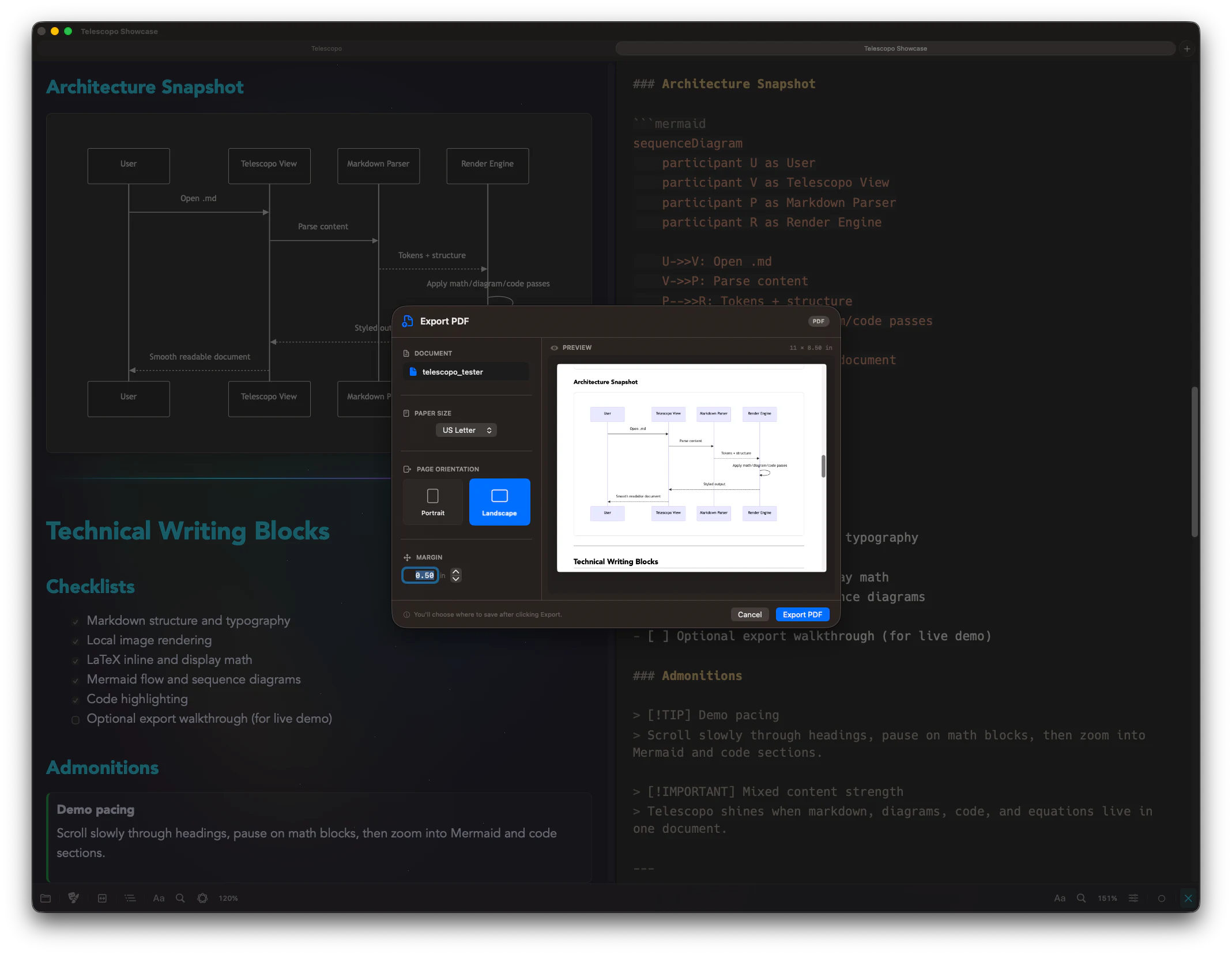
Included with Telescopo: export rendered Markdown with diagrams, math, images, and code to PDF with your chosen theme preserved. Preview US Letter, A4, Legal, A3, and Tabloid output with custom margins in portrait or landscape before saving.
Preview portrait or landscape exports with paper size, custom margins, and rendered Markdown before saving.
Preserve your selected theme, syntax highlighting, Mermaid diagrams, LaTeX math, and images in the exported PDF.
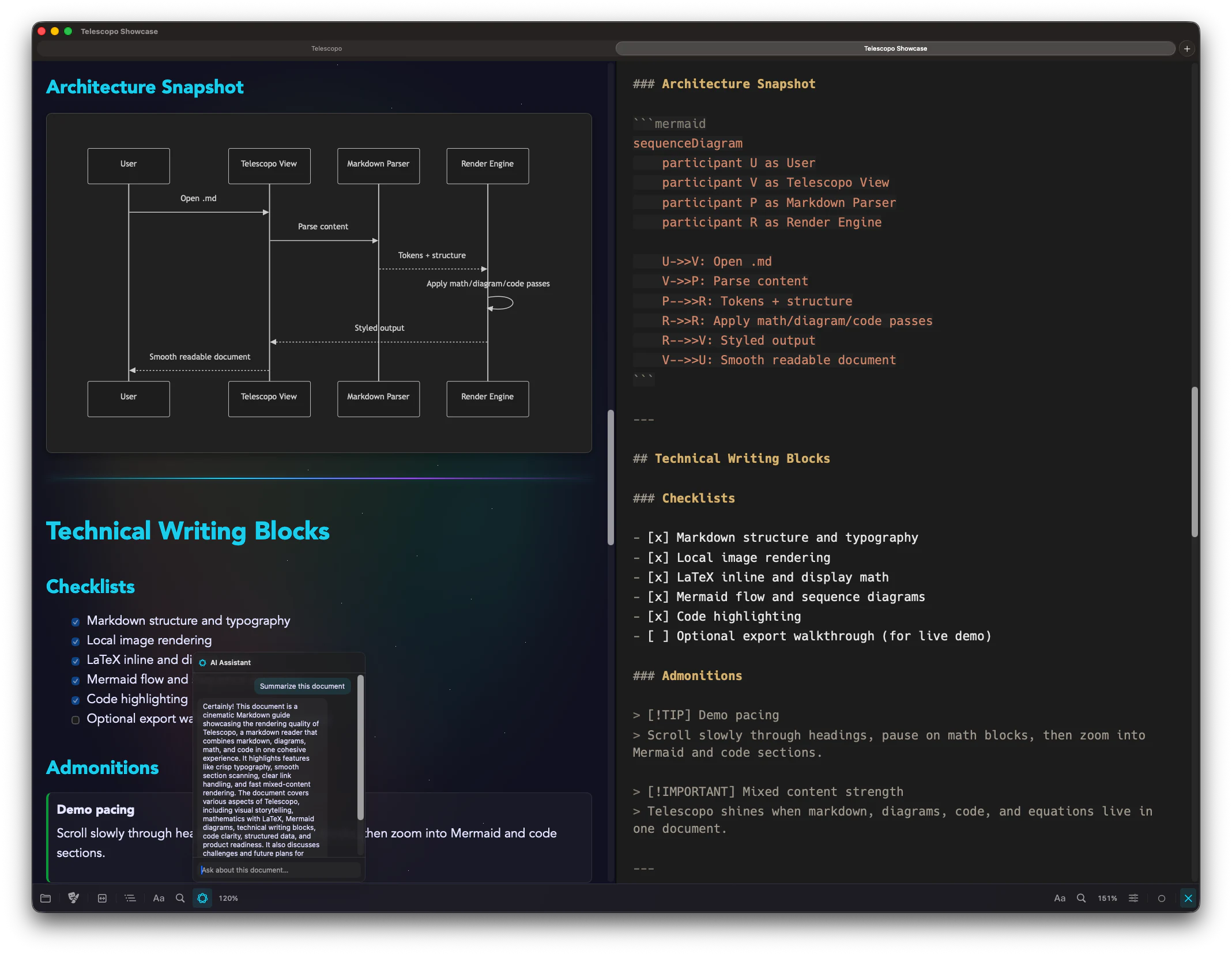
Included with Telescopo: a conversational AI assistant that reads your document and answers questions about it. Summarize, extract key points, or query the current file entirely on-device using Apple Intelligence. Your data never leaves your Mac.
Summarize long Markdown documents, extract key points, and ask follow-up questions in context.
Use privacy-focused, on-device AI on supported Macs without sending document contents to a server.
Telescopo includes practical free themes. Telescopo Markdown Studio unlocks the full theme library, including animated themes for documents, code blocks, diagrams, and the toolbar.
Start free with fast native Markdown viewing. Upgrade when you need the full writing, preview, export, sync, diagram, template, and AI workspace.
 Telescopo Markdown Studio
Download Telescopo and start with fast native Markdown viewing on your Mac.
Download Telescopo and view your Markdown documents.
 Download Now
Included with Setapp Membership.
Buy once, subscribe when needed, or use Telescopo through Setapp.