
Use a link when it saves a search or preserves the reason behind a decision. You do not need a link between every pair of notes.
Open a small connected project
Download the seven-note coastal survey exampleUnzip the sample into a folder you control, then connect that folder in Telescopo. Start with Coastal Observatory.md. The other files supply field observations, instruments, a pipeline, a runbook and a survey brief. Keep their filenames together so relative links still resolve.
Link to the evidence
[Field observations](Field%20notebook.md)
[Instrument details](Instruments%20and%20sampling.md)
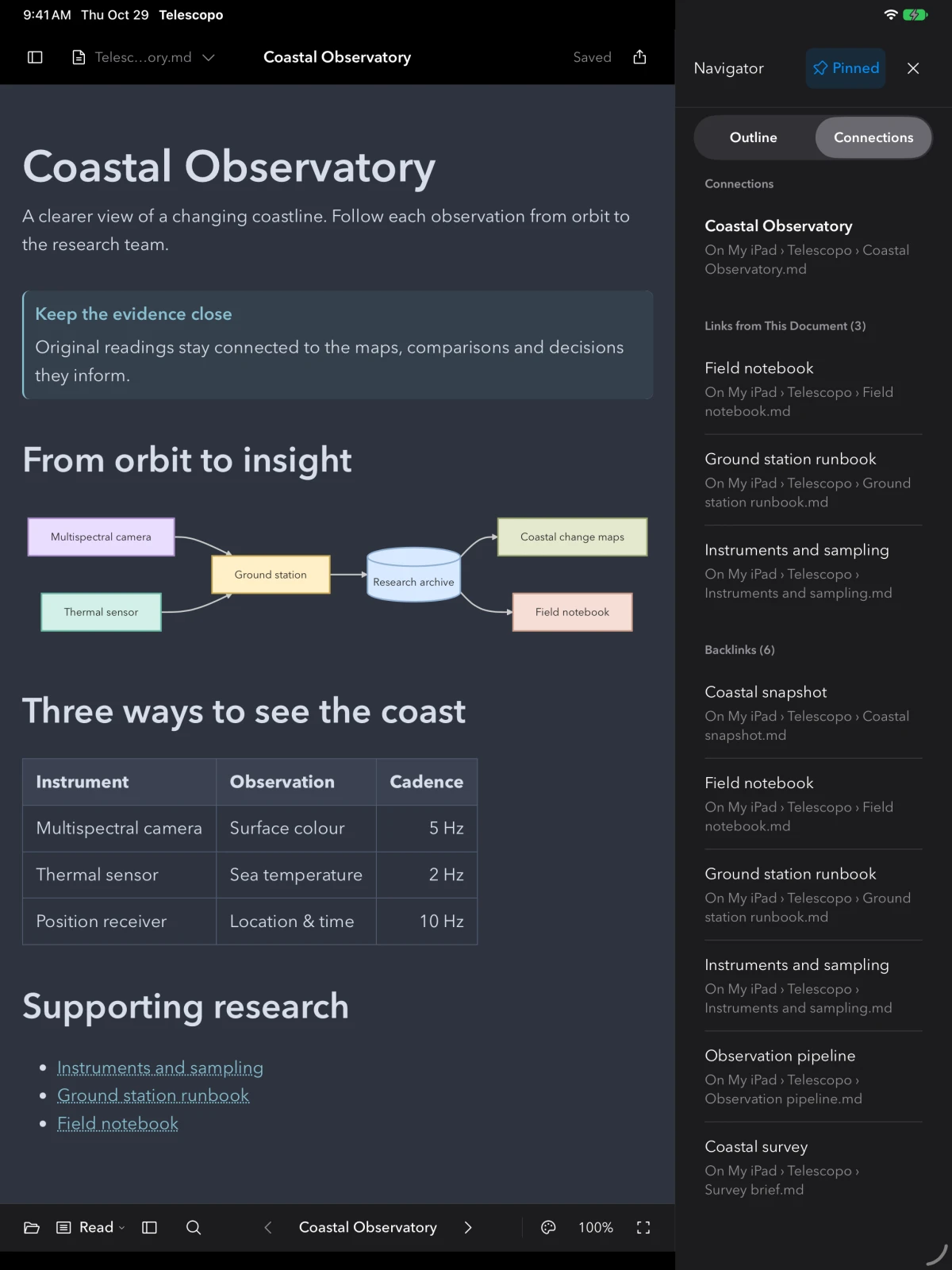
Use Insert Link (⇧⌘K) to choose a loaded note while editing. An explicit relative Markdown path is useful when exporting the folder to another editor. Wiki links can be convenient, but a renderer must support them and similar titles can be ambiguous.
Inspect both directions
- Open the project note and choose Navigator → Connections.
- Follow an outgoing link to its supporting note.
- Inspect backlinks to return to notes that point here.
- Review unresolved or ambiguous links instead of assuming every title resolved to the intended file.
Keep folders and tags useful
Use a folder for a real file boundary, such as a project you will archive or share. Use tags to gather work across folders. Add a link for context: the observation behind a recommendation, or the runbook used by a plan. Avoid adding structure that you never use to retrieve or understand the work.
Hand over the whole folder
Keep referenced Markdown and attachments in the relative locations used by the links. Test the copy in its new location. A PDF preserves the reading result but does not become an editable connected library; a folder of Markdown does not transfer local history or app preferences.
Try it in Telescopo
Explore the included sample documents for free. Opening and reading your own Markdown files, diagrams, and equations is free. Writing, conversion on supported hardware, and export require paid access. See access and subscription details.
Download Telescopo