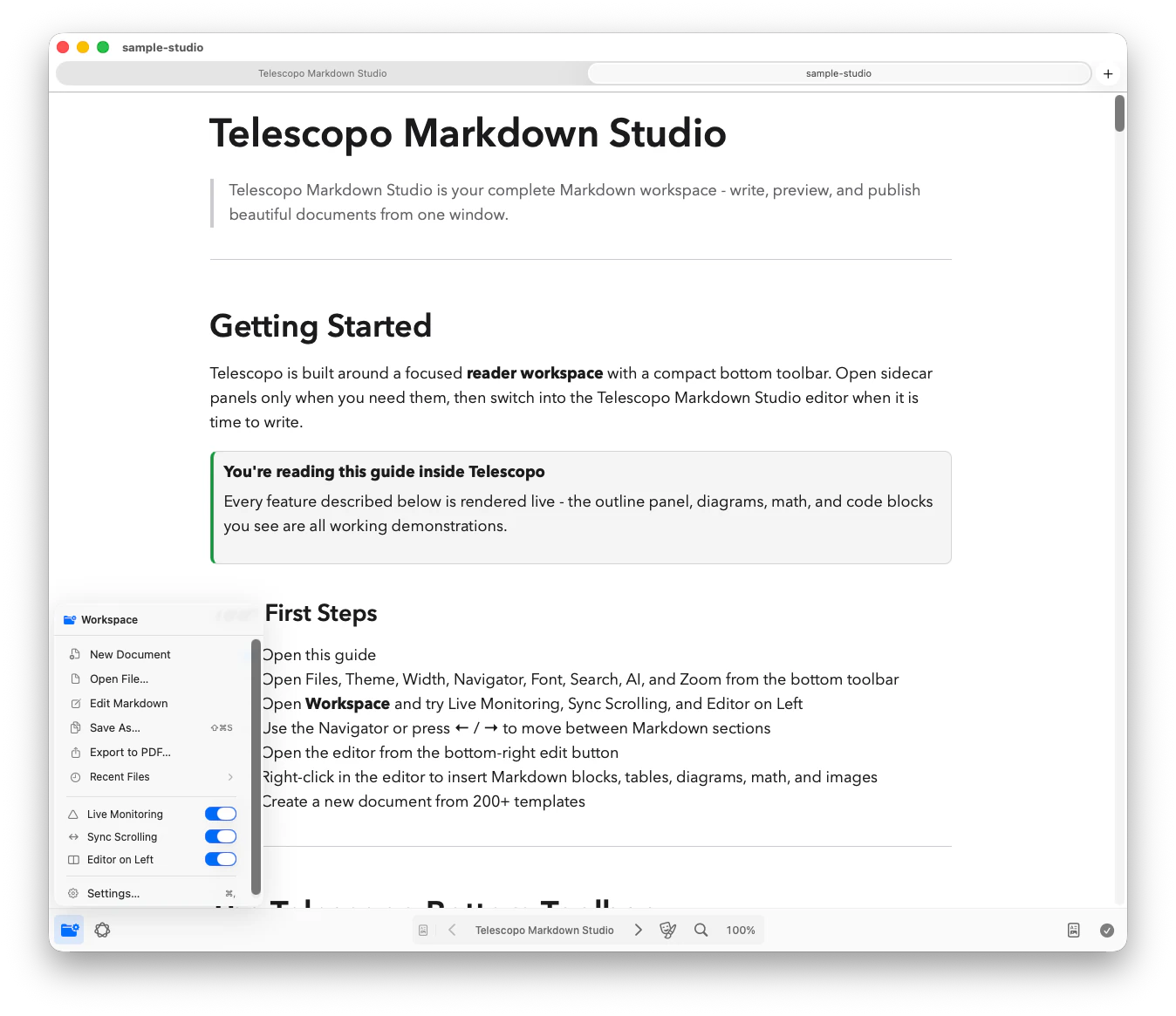
The Document Is Open. The Agent Is Still Working.
Imagine reviewing an implementation plan halfway down a long risk section while a coding agent finishes another task. The agent updates the plan on disk with a new status, a revised checklist, and additional notes. The file has changed, but your job has not: you still need to understand what happened without abandoning the place you were reading.
Markdown is increasingly written by more than one actor. Claude, Codex, other coding assistants, scripts, build tools, and autonomous workflows may all produce or revise local files. A person may be reviewing the same specification, README, changelog, or report at the same time. A viewer that only reflects the state from when the file was opened forces a manual reload and interrupts that review.
Follow Markdown From the Tools You Already Use
These tools can create or revise Markdown throughout an active coding workflow. Keep the file open in Telescopo while the writer changes it on disk, then review the freshly rendered document without losing the section you were reading.
 Codex
Official docs ↗
Codex
Official docs ↗
 Claude Code
Official docs ↗
Claude Code
Official docs ↗
 Cursor
Official docs ↗
Cursor
Official docs ↗
 Google Antigravity
Official docs ↗
Google Antigravity
Official docs ↗
 GitHub Copilot
Official docs ↗
GitHub Copilot
Official docs ↗
 Gemini CLI
Official docs ↗
Gemini CLI
Official docs ↗
What Live Monitoring Does
Live Monitoring actively monitors open Markdown files for changes made outside Telescopo. When the file changes on disk, Telescopo Markdown Studio refreshes the open document automatically while preserving the current viewpoint, so you can continue reading from the same context instead of reopening the file and finding your place again.
Included in the 7-day trial: Live Monitoring watches externally changed Markdown files, refreshes them automatically, and preserves your current viewpoint.
A Stable Reading Surface for Changing Files
Live Monitoring connects the writing activity to the reading experience. Codex, Claude Code, Cursor, Google Antigravity, GitHub Copilot, Gemini CLI, scripts, and automation can continue updating Markdown on disk while Telescopo remains the native reading and review surface for the current document.
- Review generated Markdown as it changes without reopening the file.
- Keep your current scroll position and reading context during updates.
- See rendered headings, tables, code, Mermaid diagrams, and LaTeX instead of reviewing source alone.
- Use Telescopo as a live preview surface for local AI and automation workflows.
Where Live Monitoring Helps
Agent implementation plans
Keep the plan open while an agent marks tasks complete, records findings, or revises the next steps after working in the codebase.
Generated READMEs and documentation
Review rendered setup instructions, code blocks, tables, and diagrams as a coding assistant revises the underlying Markdown.
Build reports and changelogs
Follow a report while a script appends results or regenerates release documentation from the latest project state.
Research and long-running notes
Keep a structured research file readable while local automation adds findings, sources, or progress summaries over time.
Use Structure to Keep Updates Understandable
Automatic refreshing is most useful when the document itself has a stable structure. Ask the writing tool to preserve meaningful headings, keep status information in predictable sections, and append dated entries instead of rewriting unrelated parts of the file. The document stays easier to scan for both the person and the next automated process that reads it.
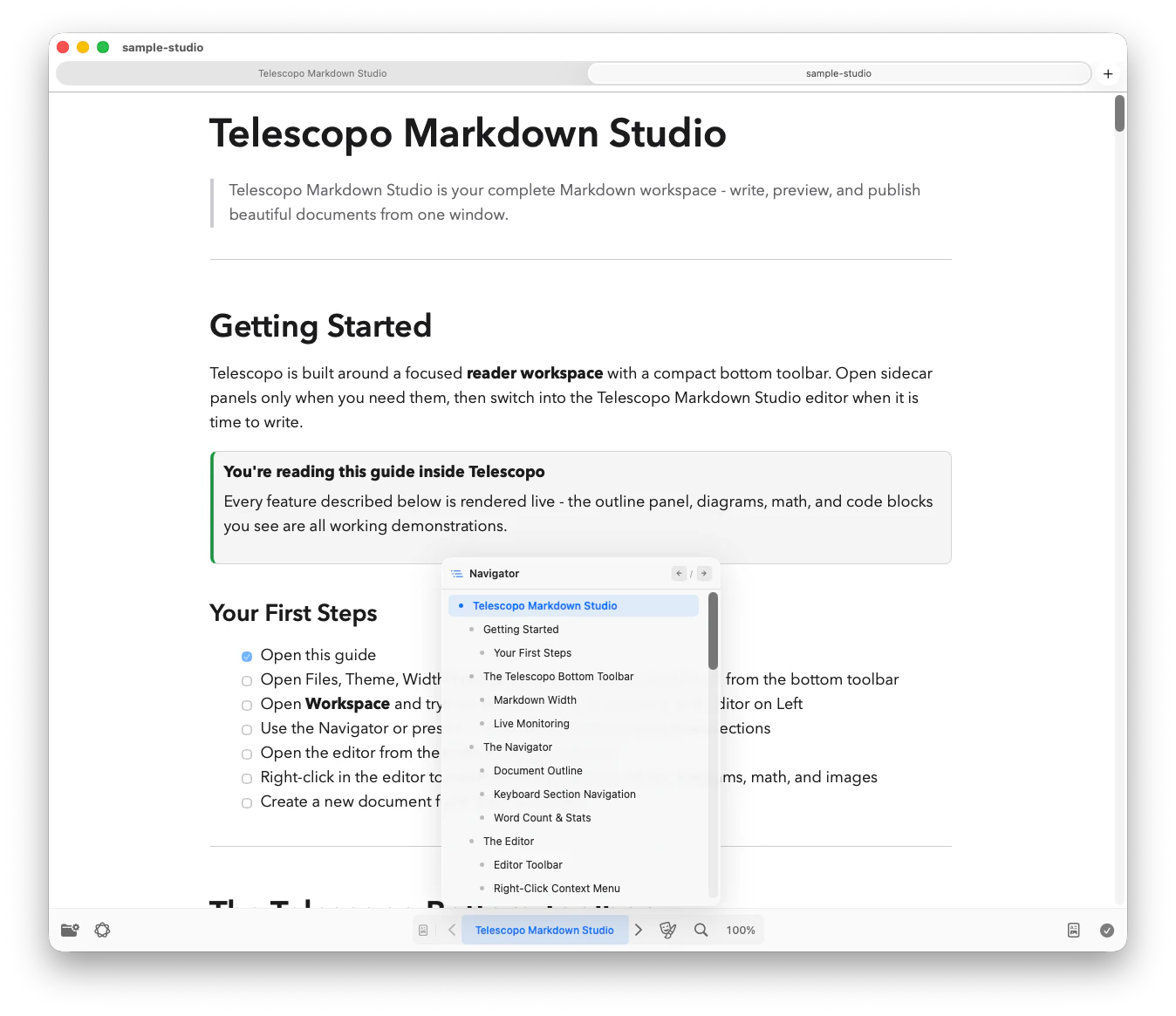
Telescopo Navigator turns those headings into a live outline. A long plan can separate goals, implementation, tests, risks, and progress; a generated report can separate summary, findings, measurements, and recommendations. When the file refreshes, the outline and rendered document continue to provide a map of the current content.
What Live Monitoring Does Not Replace
Live Monitoring is designed for continuity while reading externally changed files. It is not a source control system and does not replace Git history, pull-request review, line-by-line diffs, backups, or merge-conflict resolution. Keep important project documents under the same versioning and review practices you use for source code.
It also does not give an agent permission to modify a file. The external tool remains responsible for its own file access and writes. Telescopo observes the resulting changes on disk and refreshes the open document. That boundary keeps the workflow understandable: one tool writes, Telescopo renders, and the user decides what to accept or change.
Match the Review Rhythm to the Writer
Different external writers produce different kinds of change. A coding agent may revise a plan after completing each task. A build script may replace an entire report after a run. A research workflow may append a dated note every few minutes. Live Monitoring provides the same refreshed reading surface, but the human review rhythm should match the source.
For task-by-task updates, follow the progress section and periodically inspect the exact Git diff. For regenerated reports, wait for the producing process to finish before treating the content as a stable result. For append-only notes, use headings and timestamps to separate new material from earlier observations. The goal is not to stare at every refresh; it is to keep the current document available when new information becomes ready to read.
The same principle applies to file size and complexity. A short status file can be read from the top after every update. A long architecture or research document benefits from Navigator, a stable heading hierarchy, and a clearly maintained summary. Put the information that changes frequently where it can be found without forcing the reader to reinterpret the entire document.
Make Update Status Visible Inside the Document
A refreshed view tells you that the file changed; the document should explain what the new state means. Useful signals include a current status, last-updated time, active task, completed work, blocked work, and open questions. These fields help a reader interpret the content without relying on the timing of a visual refresh or the memory of what the previous version contained.
Keep those signals concise and avoid presenting generated status as human approval. Terms such as draft, in progress, awaiting review, accepted, and superseded describe different levels of confidence. When the distinction matters, include who or what produced the update and who is responsible for the next decision.
Design the File for Ongoing Updates
A living Markdown file works best when both the person and the writing tool understand which sections are stable and which sections may change. Separate enduring context from generated progress. For an implementation plan, the goal, constraints, and accepted decisions might stay near the top while task status and findings evolve below. For a report, methodology can remain stable while measurements and conclusions are regenerated.
Ask automation to preserve heading names and update the smallest relevant section. Append timestamped observations when historical context matters. Avoid having multiple tools rewrite the same paragraph at once. These are workflow practices rather than Live Monitoring requirements, but they make every refresh easier to interpret and every source-control diff easier to review.
A durable structure for an agent-maintained plan
- Goal and constraints: stable context that should not change casually.
- Current state: verified facts about the codebase or project.
- Proposed work: the approach the team is evaluating.
- Progress: task status and findings the agent may update frequently.
- Open questions: uncertainty that still requires a person or new evidence.
A Safe Human Review Loop
Open
Begin in Reader view
Establish the current structure and move to the section you intend to follow.
Monitor
Follow external changes
Enable Live Monitoring so Telescopo refreshes the open file as the external writer changes it on disk.
Understand
Read updates in context
Use the rendered document and Navigator to see how new information relates to the rest of the file.
Verify
Review consequential changes
Use Git or the project's normal review system for exact diffs, attribution, approvals, and history.
Refine
Finish in Split view
Correct the source while checking headings, tables, diagrams, code, and prose in the rendered result.
Know When to Stop Watching and Take Control
Live review is useful while a process is making understandable, incremental progress. Pause the external writer when an update changes an accepted decision, removes important context, produces conflicting instructions, or begins rewriting a section you are actively editing. At that point, the problem is no longer presentation; it is coordination.
Resolve the source change, review the diff, and establish which version should continue. Then return to Live Monitoring when the file again has one clear writer and the human is observing or reviewing. This simple boundary prevents the convenience of automatic refresh from being mistaken for automatic approval.
Continue From Reading to Editing and Delivery
Once an update is ready for human refinement, switch to Editor or Split view to correct the Markdown while seeing the rendered result. Add a callout around a risk, repair a generated table, reorganize the heading hierarchy, or check that a Mermaid diagram communicates the intended architecture. When the document needs to leave the development workflow, Telescopo can export it to PDF with page preview, paper sizes, margins, portrait or landscape orientation, and rendered diagrams, math, images, code, and themes.
Frequently Asked Questions
What is Live Monitoring in Telescopo?
Live Monitoring watches open Markdown files for external changes and refreshes them automatically while preserving the current viewpoint.
Is Live Monitoring included in the seven-day trial?
Yes. Live Monitoring is included during the seven-day trial of complete Telescopo Markdown Studio access and remains available with Lifetime Access after a one-time $49.99 purchase.
Which AI coding tools work with Live Monitoring?
Live Monitoring keeps Markdown current as Codex, Claude Code, Cursor, Google Antigravity, GitHub Copilot, Gemini CLI, scripts, and automation update an open file on disk.