AI Can Draft the File. You Still Own the Document.
AI coding tools are exceptionally good at producing structured text: implementation plans, README files, architecture notes, release summaries, investigation reports, and checklists. Markdown is the natural output because it is portable, readable as source, easy to version, and understood by almost every development tool. But a generated file is not automatically a finished document.
Headings may be uneven, important assumptions may be buried, diagrams may exist only as code blocks, and a document that looked plausible in a terminal may be difficult to scan as a whole. The useful division of labor is simple: let the agent accelerate the first draft, then give a person a clear surface for inspection, correction, and delivery.
Markdown From the Tools You Already Use
Codex, Claude Code, Cursor, Google Antigravity, GitHub Copilot, Gemini CLI, and other coding agents can write and revise Markdown throughout your project. Open the result in Telescopo to read, monitor, refine, and export it on Mac.
 Codex
Official docs ↗
Codex
Official docs ↗
 Claude Code
Official docs ↗
Claude Code
Official docs ↗
 Cursor
Official docs ↗
Cursor
Official docs ↗
 Google Antigravity
Official docs ↗
Google Antigravity
Official docs ↗
 GitHub Copilot
Official docs ↗
GitHub Copilot
Official docs ↗
 Gemini CLI
Official docs ↗
Gemini CLI
Official docs ↗
A Practical AI Markdown Workflow
Capture
Keep the work portable
Open ordinary Markdown from coding agents, scripts, project folders, and version-controlled repositories.
Review
Understand the document
Inspect the rendering, navigate its structure, refine the source, and follow external updates.
Deliver
Create a stable result
Finish the human review and export a polished document with diagrams, math, code, and layout intact.
Keep the Markdown file portable
Keep the agent's output as a normal .md file in the project or
folder where the work belongs. Telescopo opens the same local Markdown file for reading and review. It
can remain in Git, move through another editor, or be read as plain text whenever you need it.
Inspect the rendered document before editing
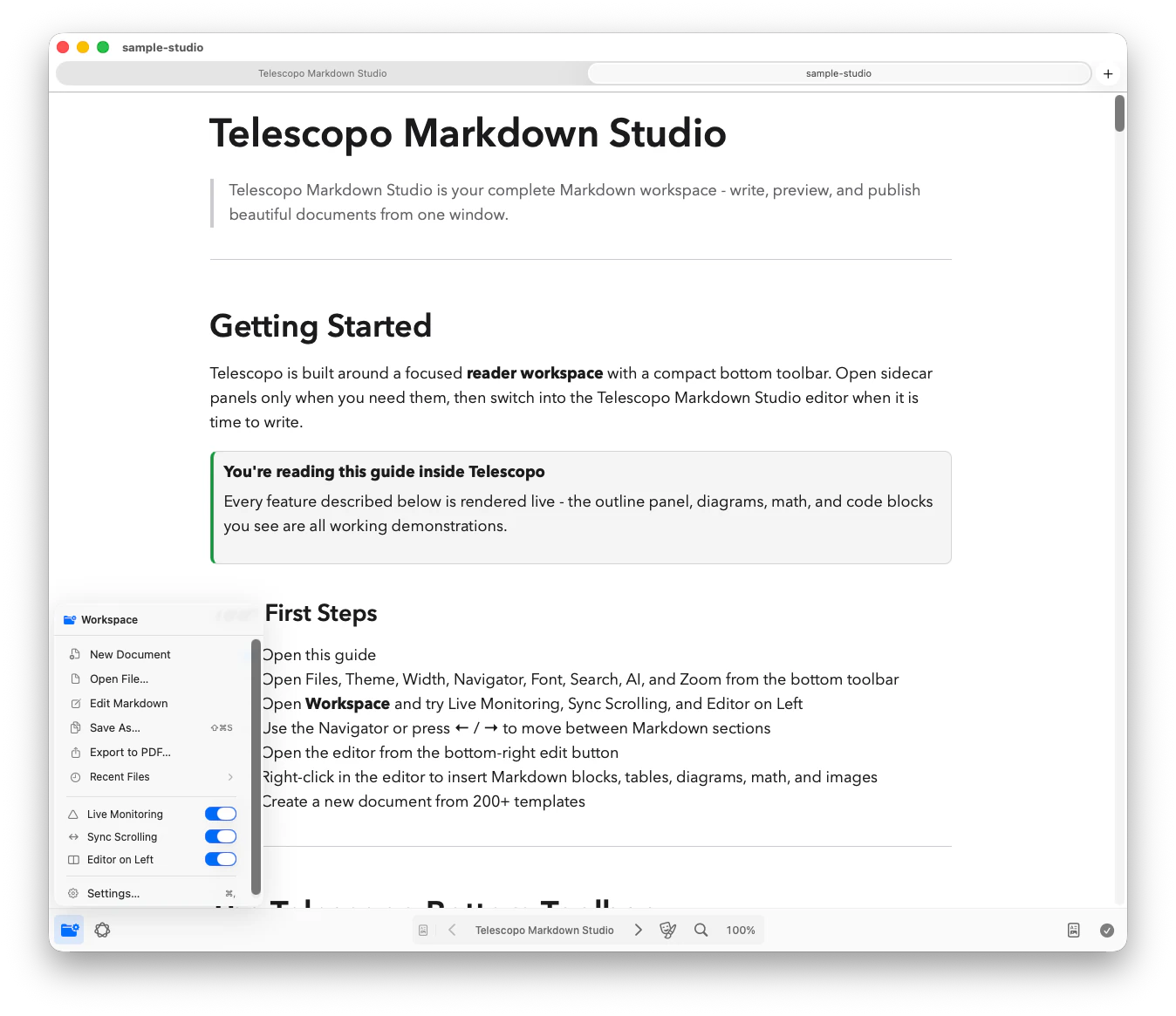
Reader view reveals whether the document actually works for a reader. Headings become a visual hierarchy, tables become scannable, syntax-highlighted code separates itself from prose, and Mermaid or LaTeX blocks render in context. For a long specification or plan, Telescopo Navigator builds an outline from the headings so you can see where the document is balanced and where important sections are missing.
Refine source and output together
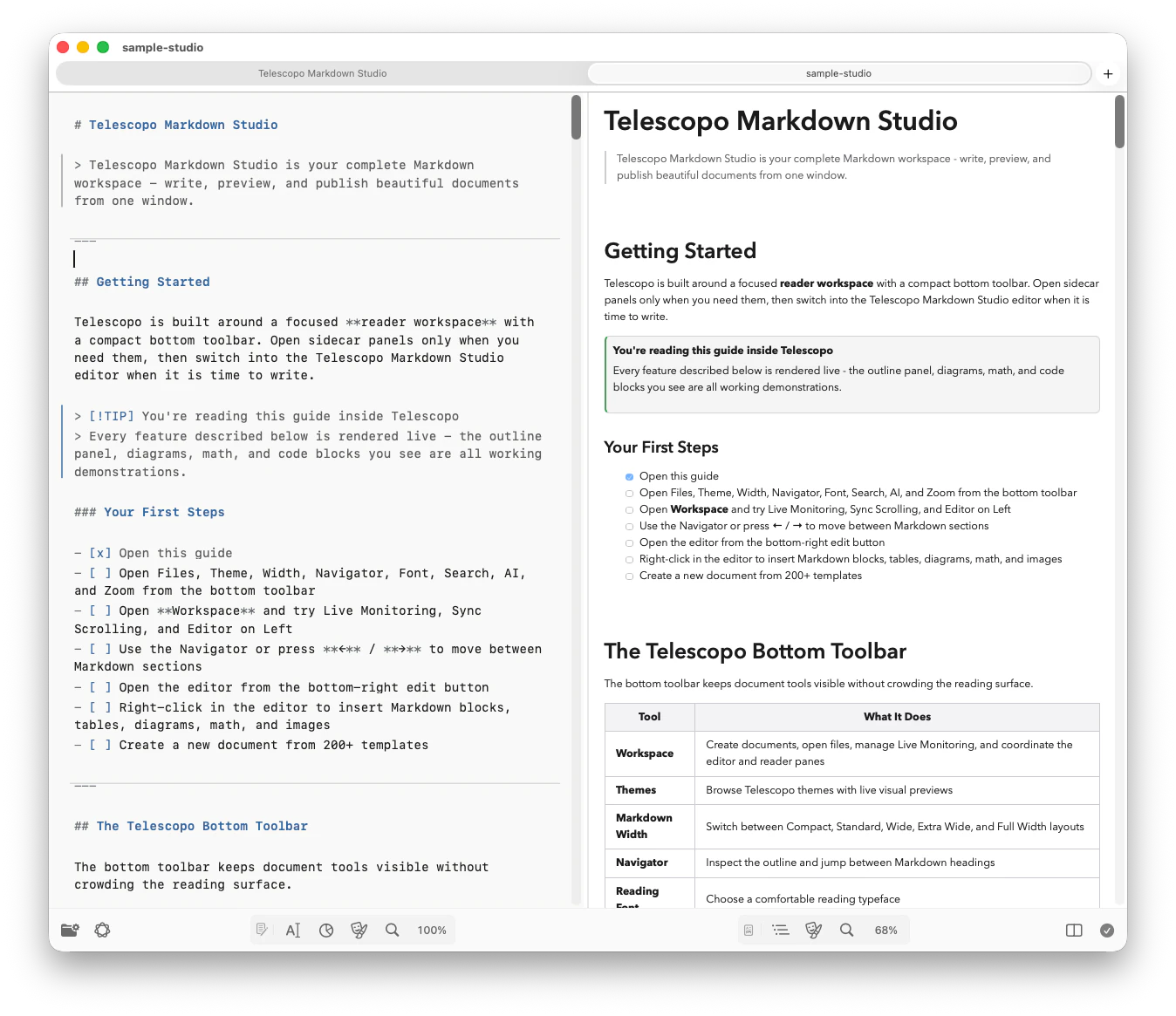
Split view keeps the Markdown source beside the finished rendering. That makes structural editing much easier than correcting a long file in a terminal: change the heading level, rewrite an ambiguous paragraph, reorganize a list, or fix a table and immediately see the effect on the document. The Markdown Command Menu provides quick access to formatting, tables, callouts, Mermaid diagrams, LaTeX math, and reusable blocks without requiring you to remember every syntax form.
Keep watching while an agent continues working
Some documents are not produced in one pass. A coding agent may update a plan as implementation progresses, a script may append build results, or an automation task may regenerate a report. With Live Monitoring enabled, Telescopo watches the open Markdown file for changes made outside the app, refreshes the document when the file changes on disk, and preserves your current viewpoint.
Important distinction: Live Monitoring is a stable reading and review surface for external file updates. It does not replace source control, version history, diff review, or merge-conflict resolution.
A clean document can refresh after an external write. When the file changes on disk while local edits are active, Telescopo surfaces a conflict and requires resolution before editing continues. It does not silently overwrite the active version.
Ask questions about the current document
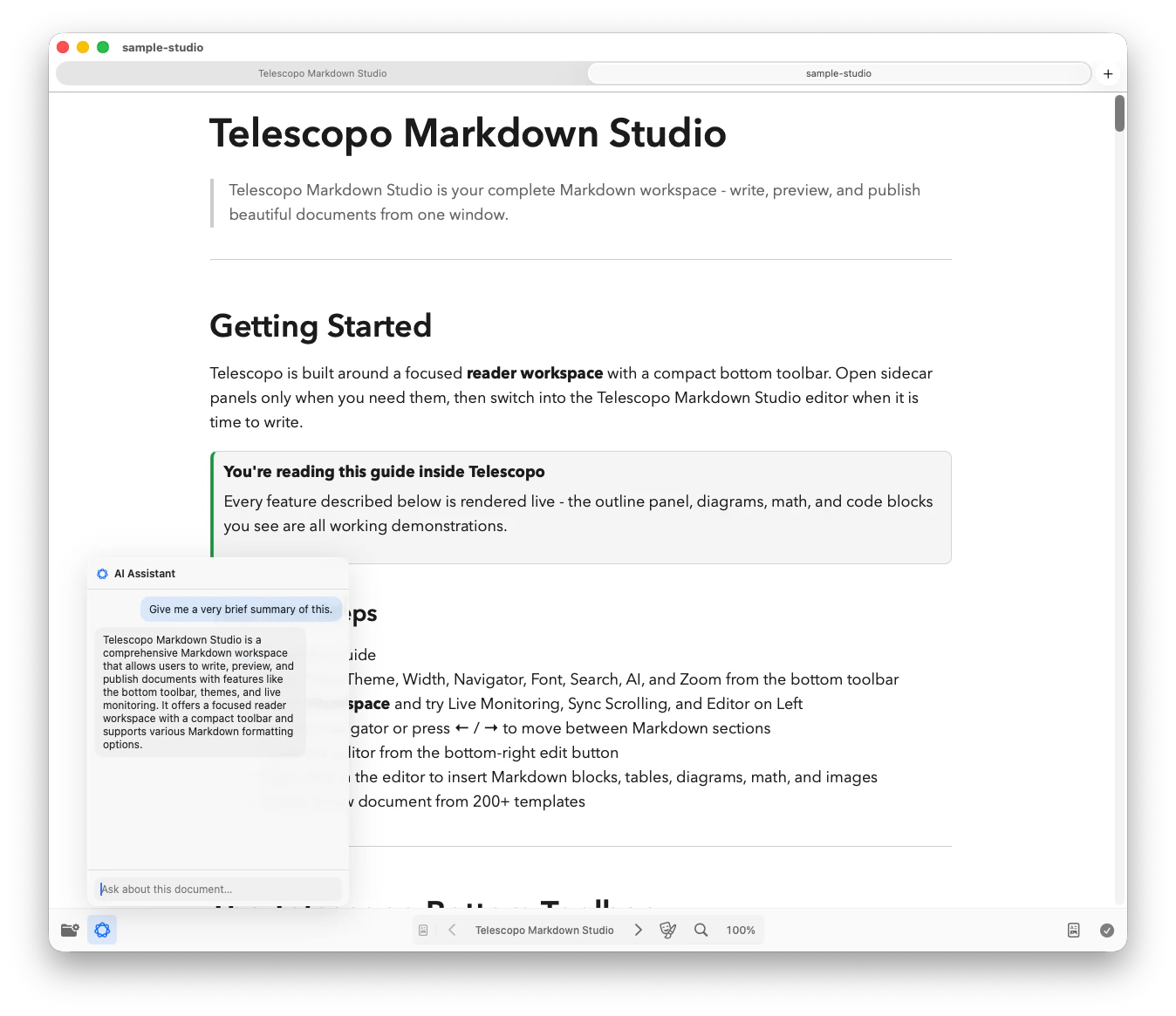
On supported Macs with Apple Intelligence enabled, Telescopo AI Assistant can summarize the current document and answer questions about it on-device. This is useful when an agent has produced a long implementation plan and you need to identify unresolved risks, locate a decision, or get a concise overview before reading in detail. AI Assistant helps you understand the open document; it does not silently rewrite or edit the file.
Deliver a document, not a source file
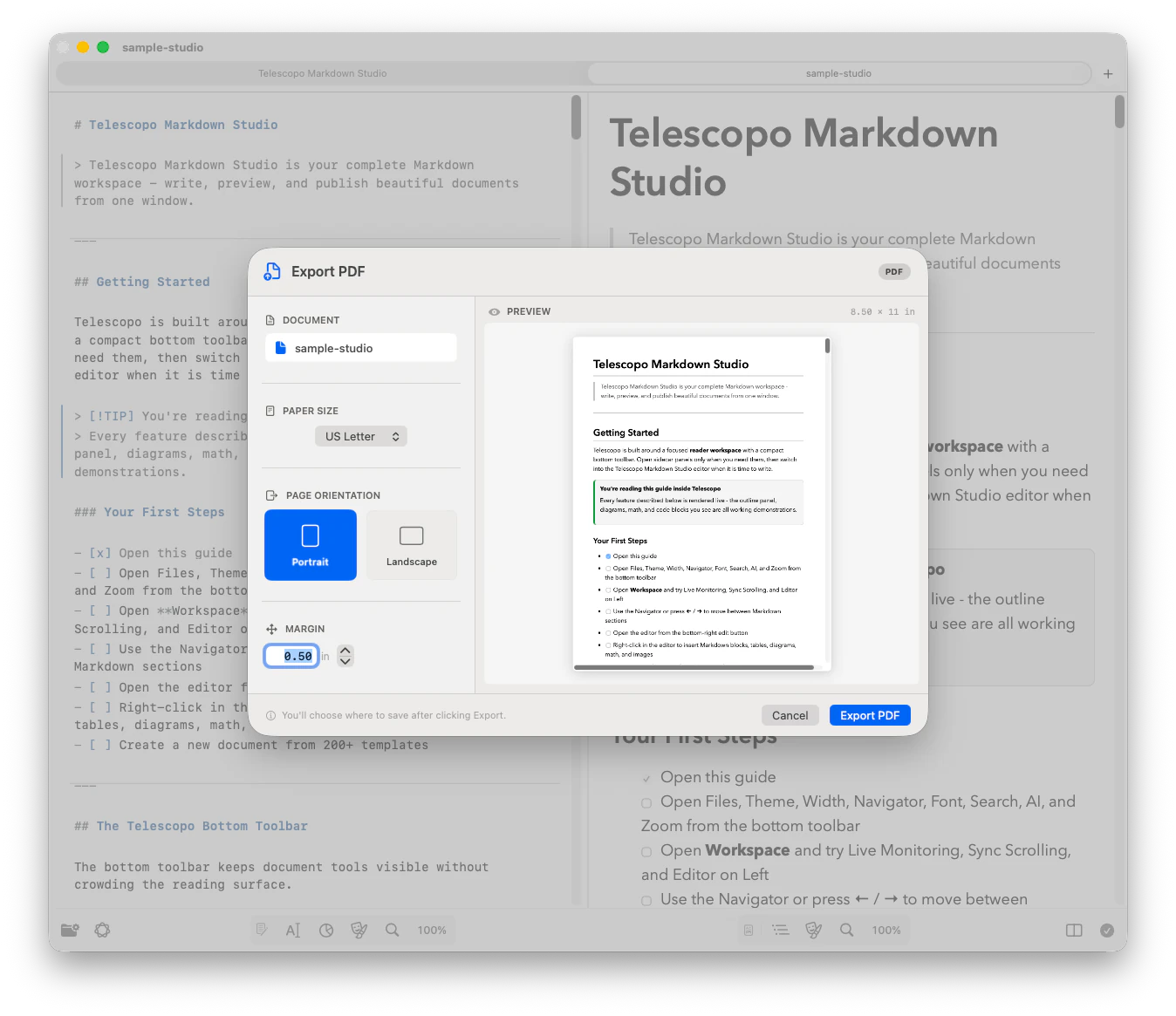
Markdown is ideal while the work is changing, but not every stakeholder wants a raw file. Telescopo exports rendered Markdown to PDF with a dynamic preview, common paper sizes, custom margins, and portrait or landscape orientation. Mermaid diagrams, LaTeX mathematics, images, tables, styled code, and the selected theme remain part of the final document. Wide architecture diagrams can use a landscape page instead of being squeezed into a portrait layout.
Documents That Fit This Workflow
Implementation plans
Review milestones, dependencies, risks, and progress notes while an agent continues updating the underlying file.
Architecture documents
Combine decisions and tradeoffs with rendered Mermaid flowcharts, sequence diagrams, class diagrams, or data models.
READMEs and runbooks
Check that generated setup instructions, commands, warnings, and operational steps read clearly outside the coding tool.
Reports and changelogs
Turn automation output into a navigable document, then export a stable copy for people who do not work from Markdown.
Give the Agent a Document Contract
Better review begins before the file is generated. Tell the agent who will read the document, what decision it supports, which sections must be present, and which claims need evidence. Ask it to expose uncertainty instead of filling gaps with confident prose. A lightweight contract makes the first draft easier to inspect and keeps later updates from reorganizing the document without a reason.
A useful instruction for an implementation plan
Write the plan to docs/implementation-plan.md.
Use these sections: Goal, Current State, Proposed Changes,
Risks, Tests, Rollout, Open Questions, and Progress.
Keep commands in fenced code blocks. Use Mermaid only when
a diagram clarifies data flow. Mark assumptions explicitly.
When updating the file, preserve headings and append progress.
This is not a Telescopo-specific format. It is simply disciplined Markdown, which is precisely why the workflow remains portable. Telescopo benefits from the same structure that makes the file useful in Git, on GitHub, inside another editor, or as input to a different agent later.
Review Generated Markdown in Layers
Do not begin by polishing sentences. Start with the decisions that would be expensive to get wrong, then move toward presentation. A layered review is faster and prevents an attractive rendering from making an unsupported recommendation feel more trustworthy than it is.
Verify the factual frame
Confirm file paths, API names, commands, dependencies, version assumptions, and descriptions against the code or source material.
Inspect the decisions
Keep alternatives, tradeoffs, failure modes, and open questions visible instead of flattening them into one confident recommendation.
Test the structure
Scan the Navigator outline before reading line by line. Missing tests, rollout, ownership, or recovery often appear as missing sections.
Render the technical blocks
Check every Mermaid diagram, table, code fence, and equation in context. Valid syntax can still explain the wrong relationship.
Edit for the next reader
Remove repetition, define unfamiliar terms, move prerequisites earlier, and make the expected action or decision explicit.
Create a Clear Handoff Point
A continuously updated file and an approved document serve different purposes. During exploration, keep the Markdown live and let the agent record progress. When the content is ready for a decision, review the final source change in version control, resolve open questions, and produce a stable output. That output may be a committed Markdown revision, a PDF for stakeholders, or both.
This boundary is especially valuable for architecture and operational documents. Readers should be able to distinguish an evolving proposal from an accepted decision, and a generated suggestion from a verified procedure. Add an explicit status, owner, and last-reviewed date to consequential documents so the next person understands what they are looking at.
Keep Important Claims Traceable
Generated documents are easier to trust when a reviewer can trace consequential statements back to evidence. Link a behavioral claim to the relevant source file, test, issue, benchmark, or external reference. Name the command used to produce a measurement and record the environment when it affects the result. If the agent inferred something from naming or structure rather than verifying it at runtime, label that conclusion as an inference.
Traceability does not require turning every paragraph into an academic paper. Focus on information that changes a decision: compatibility requirements, security assumptions, migration costs, performance numbers, failure behavior, and operational steps. A reader should be able to distinguish a fact, an accepted decision, a proposal, and an unresolved question without consulting the original AI conversation.
Local Files Stay Useful Beyond One AI Tool
A file-based workflow avoids locking the document inside one assistant's conversation history. Claude, Codex, another agent, a teammate, and Telescopo can all interact with the same portable format for different purposes. Local files remain local unless you choose native iCloud Sync. When you use Telescopo AI Assistant on a supported Mac, document questions and summaries use on-device Apple Intelligence.
Frequently Asked Questions
Which AI coding tools work with the Telescopo Markdown workflow?
Telescopo works with ordinary local Markdown files created or updated by Codex, Claude Code, Cursor, Google Antigravity, GitHub Copilot, Gemini CLI, coding agents, scripts, and automation.
Can Telescopo monitor Markdown while an AI agent updates it?
Yes. Live Monitoring watches an open Markdown file for external changes, refreshes the document when it changes on disk, and preserves the current viewpoint.
Does Telescopo upload AI-generated Markdown documents?
Local files stay local unless you choose native iCloud Sync. AI Assistant uses on-device Apple Intelligence on supported Macs for document questions and summaries.