Technical Documents Need More Than a Text Box
Technical writing sits between code and publishing. The source needs to remain plain, portable, and friendly to Git, but the finished document needs visible hierarchy, diagrams, tables, readable code, cross-team clarity, and sometimes a polished PDF. A minimal editor handles the source. A browser preview handles part of the output. A general-purpose IDE can assemble the workflow with extensions. Telescopo brings the document work into one native Mac workspace.
The result is still ordinary Markdown. You can keep it beside the codebase, sync selected Telescopo documents through iCloud, open the file in another tool, or hand it to an AI agent. Telescopo focuses on the part that comes next: making the document comfortable to create, inspect, navigate, and share.
Start With the Right Structure
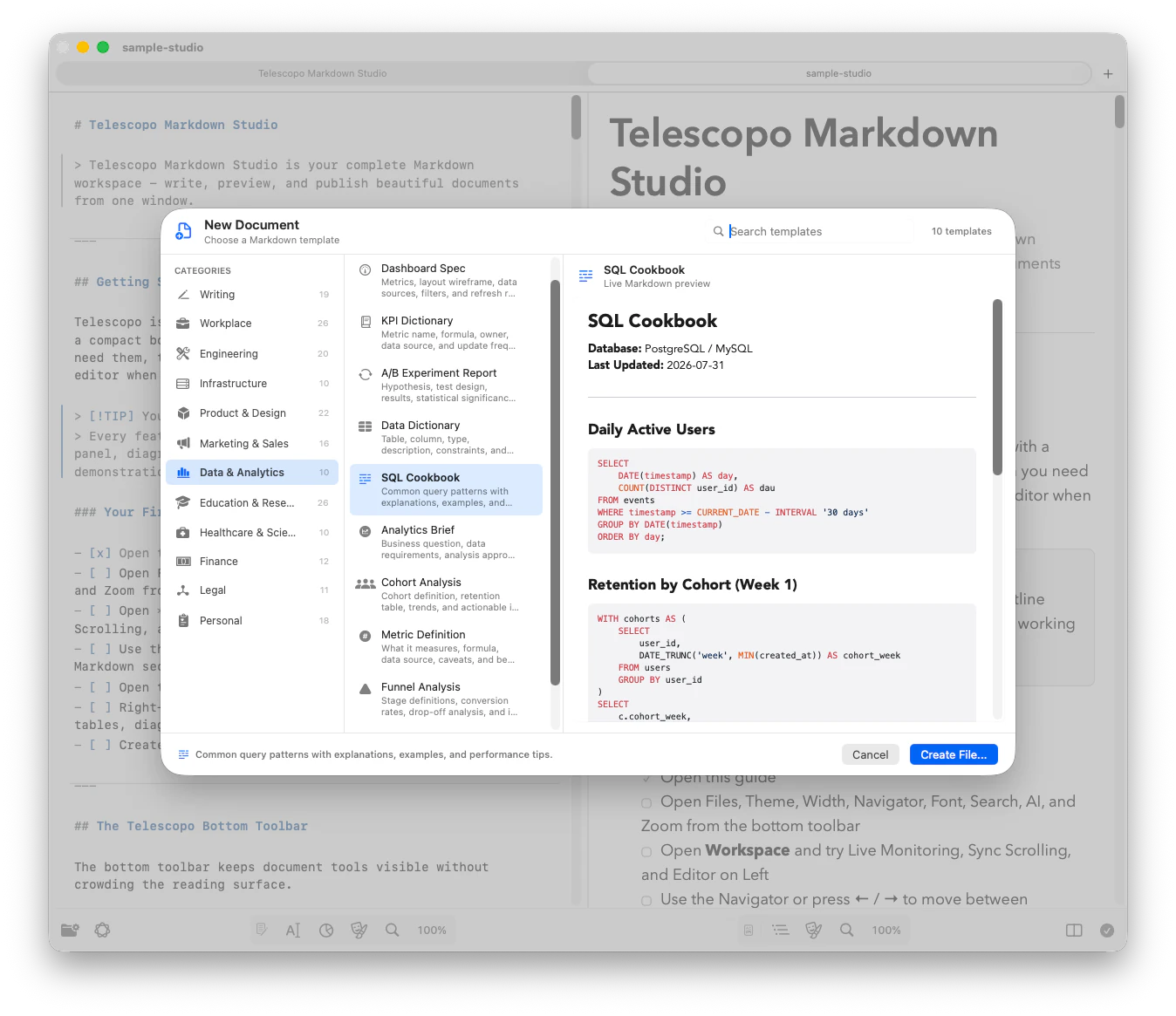
Consistent technical documentation begins with a predictable outline. Telescopo includes more than 200 Markdown starter templates across engineering, product, planning, research, operations, and business workflows. A template can provide the questions a document needs to answer before anyone starts polishing sentences.
An architecture decision record might begin with context, considered options, a decision, tradeoffs, and consequences. A runbook needs prerequisites, diagnostics, recovery steps, verification, and escalation. An implementation specification needs goals, non-goals, interfaces, data flow, failure modes, testing, and rollout. You can also start with an existing local file when the project already has its own conventions.
These are ordinary Markdown files. Their base syntax follows CommonMark, with tables, task lists, autolinks, and strikethrough described by the GitHub Flavored Markdown specification.
Write Source and See the Document at the Same Time
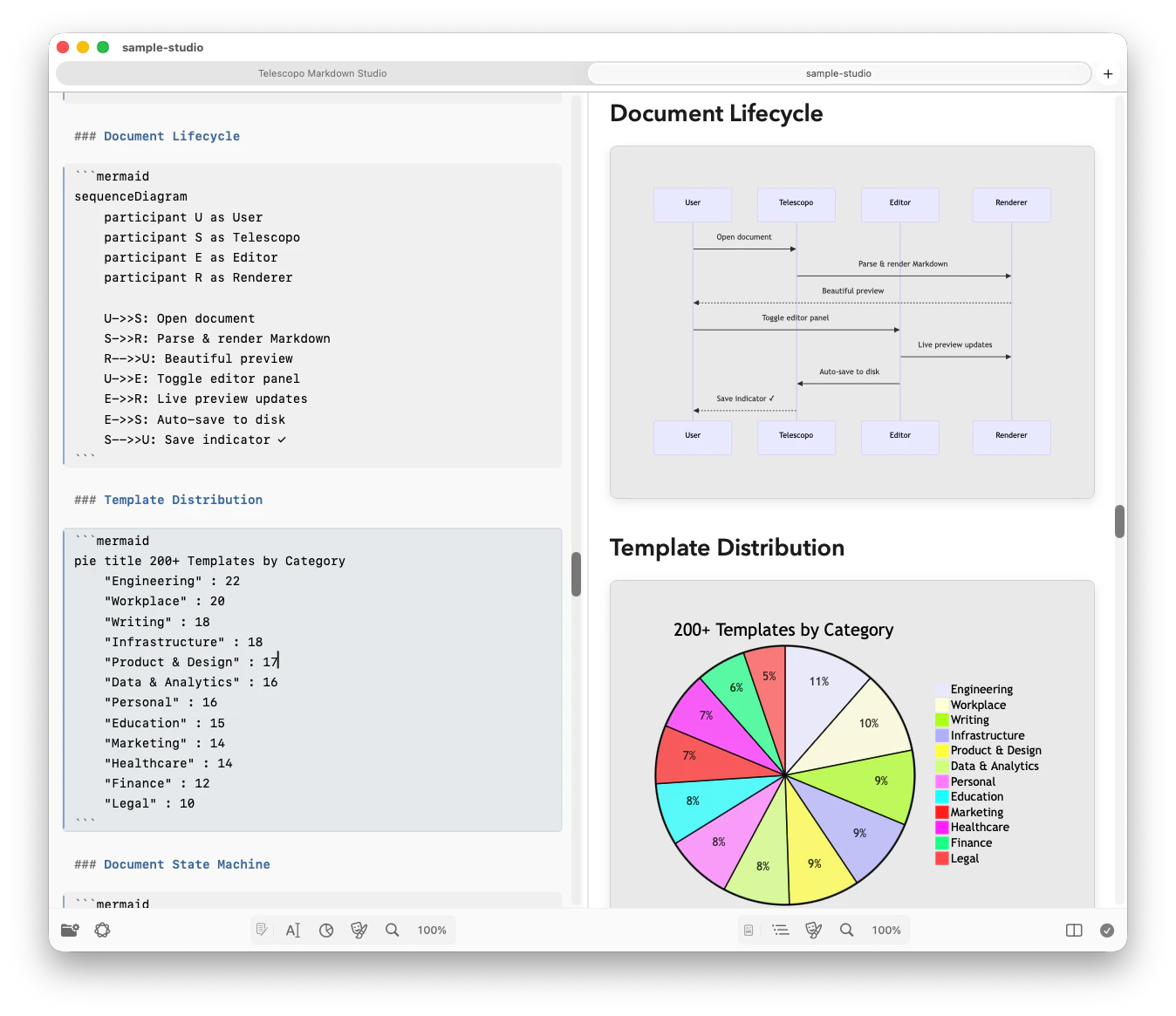
Split view pairs the Markdown editor with an instant rendered preview. You retain the precision of plain-text syntax while seeing what a teammate or stakeholder will actually read. This is especially useful for nested lists, tables, code fences, callouts, diagrams, and equations, where a small source mistake can change the shape of the finished page.
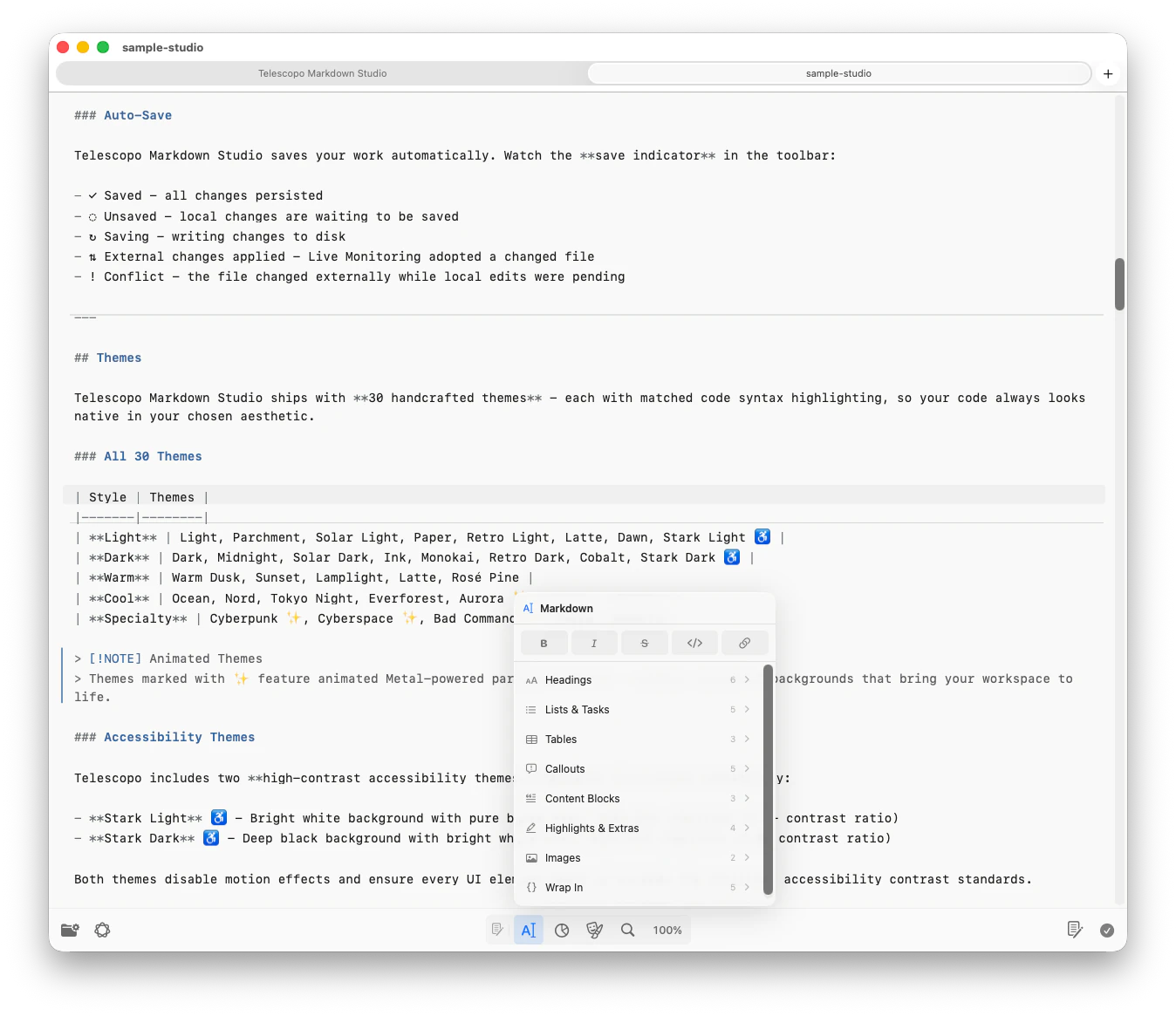
The Markdown Command Menu provides quick insertion and formatting controls for common Markdown and technical blocks. It reduces syntax lookup without hiding the source format. Reader, Editor, and Split views remain distinct, so you can choose a focused writing surface, a finished reading surface, or both together depending on the stage of the work.
Put Architecture Beside the Explanation
A technical document becomes more useful when the diagram lives beside the decision it explains. Telescopo renders Mermaid inside Markdown, including common workflows such as flowcharts, sequence diagrams, class diagrams, entity-relationship diagrams, state diagrams, Gantt charts, timelines, Git graphs, and other supported Mermaid formats. The diagram source stays text-based and versionable.
LaTeX mathematics can live in the same document for engineering formulas, research notes, performance models, matrices, summations, and quantitative reports. Syntax-highlighted code blocks, tables, images, and callouts complete the document without changing its underlying portability.
Navigate Long Specifications Without Losing Context
Long documents fail when readers cannot form a mental map of them. Telescopo Navigator parses Markdown headings into a live outline, tracks the current section, and provides direct section navigation. A reviewer can jump from requirements to data flow, failure handling, and rollout without dragging a scroll bar through thousands of words.
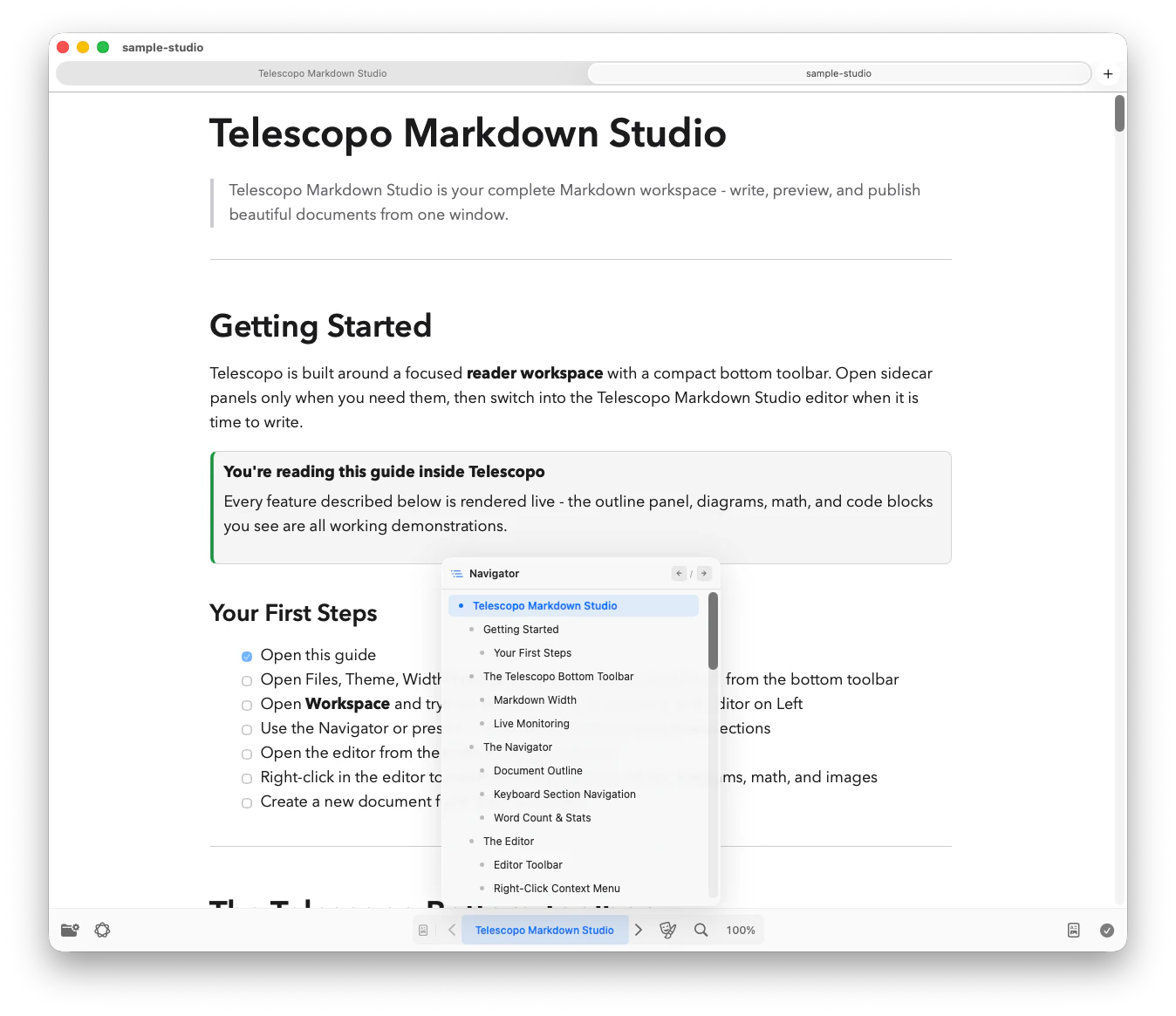
Search adapts to the active view: Command-F searches the rendered document in Reader view and the Markdown source in Editor or Split view. Reading width, zoom, themes, and accessible font controls help keep prose readable across laptop, desktop, and ultrawide displays.
Review Documents From People, Agents, and Automation
Technical Markdown increasingly has more than one author. A developer may draft the design, an agent may expand the implementation plan, and a script may append benchmark results. Live Monitoring can keep an open Markdown file current when another tool changes it on disk while preserving your current viewpoint. Source control remains responsible for history, diffs, and merge decisions.
For private document understanding, Telescopo AI Assistant can summarize the current file and answer questions about it using on-device Apple Intelligence on supported Macs. It is useful for locating a decision or understanding a long document before a detailed review; it does not silently edit the source.
Export the Deliverable Without Rebuilding It
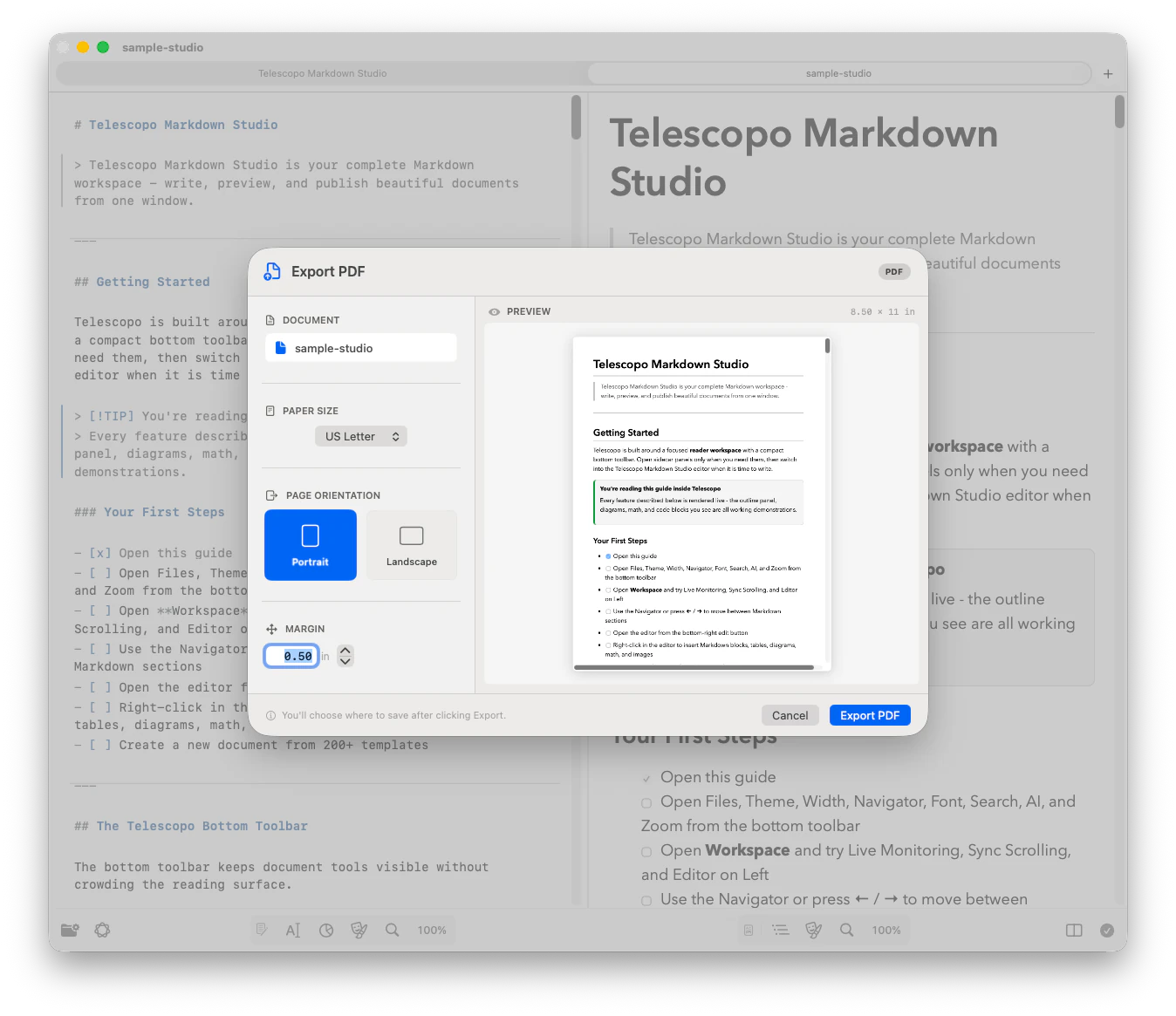
When the audience does not work in Markdown, export the rendered document to PDF. Telescopo provides a dynamic preview with US Letter, A4, Legal, A3, and Tabloid paper sizes, custom margins, and portrait or landscape orientation. Rendered Mermaid, LaTeX, images, syntax-highlighted code, tables, and themes are preserved in the output.
Choose a Shape That Matches the Document
Technical documentation becomes easier to maintain when every document type answers a recognizable set of questions. The precise headings can follow your team's conventions, but the information architecture should reflect the job the document performs.
| Document | Questions it should answer |
|---|---|
| Specification | What changes, why, for whom, through which interfaces, with what risks, and how will it be tested? |
| ADR | What context forced a decision, which options were considered, what was chosen, and what follows? |
| Runbook | When should this procedure run, what access is required, what are the steps, and how is success verified? |
| Incident review | What happened, what was the impact, why did it happen, how was service restored, and what changes next? |
Write for Review, Not Just Storage
A document can be complete and still be difficult to review. Put the summary, decision, or required action near the beginning. Introduce terminology before using abbreviations. Keep one idea per section, and use tables when readers need to compare the same attributes across several choices. Use a diagram to show relationships or sequence, not to decorate prose that is already clear.
Code examples should be small enough to explain one behavior and complete enough to run or adapt. Identify whether a command is illustrative or intended for production. For operational instructions, pair each consequential action with expected output and a way to stop or recover when the result is not what the reader expects.
A Technical Documentation Review Checklist
- Purpose: the intended reader, decision, and document status are clear in the opening section.
- Accuracy: commands, identifiers, paths, APIs, versions, and diagrams agree with the current system.
- Completeness: prerequisites, failure modes, tests, rollback, ownership, and open questions appear where relevant.
- Navigation: heading levels form a coherent outline and section names make sense outside their surrounding paragraphs.
- Delivery: the rendered document and PDF preserve tables, diagrams, code, math, images, and readable page flow.
Keep Maintenance Attached to the Work
Store project documentation near the system it describes when that makes ownership and versioning clearer. A README belongs with its project. An ADR can live in a predictable decisions directory. A runbook should name its owner and the environment it covers. Record a last-reviewed date for documents whose accuracy affects deployment, security, recovery, or customer support.
Markdown makes these maintenance signals visible to both people and tools. An agent can propose an update when code changes, a reviewer can inspect the source diff, and Telescopo can provide the reading and authoring surface. None of those replaces ownership: the team still decides when a document is current, approved, deprecated, or ready to archive.
Example: From Architecture Proposal to Approved Record
Begin an architecture proposal with a template containing context, goals, non-goals, constraints, considered options, and open questions. Draft the system explanation in Markdown and add a Mermaid sequence diagram for the critical request path. In Split view, check that the written terminology and diagram labels agree. Use Navigator to inspect whether risks, failure handling, observability, security, migration, and rollout each have a visible place in the document.
During review, record alternatives and their tradeoffs instead of overwriting the proposal with the apparent winner. Resolve open questions and identify the people responsible for follow-up work. Once a decision is accepted, convert the document into an ADR or clearly mark its status and decision date. Commit the Markdown with the project so later changes remain reviewable.
If the decision needs a broader audience, export a PDF with a page orientation that fits the diagrams. The Markdown remains the maintained source; the PDF becomes the stable artifact distributed for that review or milestone. When the architecture changes, update the source and deliberately produce a new deliverable rather than silently changing the already-approved record.
Technical Documents That Fit Telescopo
Specifications and plans
Product requirements, technical designs, implementation plans, migration proposals, and rollout documents.
Architecture and decisions
ADRs, system overviews, data models, sequence diagrams, infrastructure explanations, and tradeoff analyses.
Operations and support
Runbooks, incident reviews, troubleshooting guides, deployment checklists, and security procedures.
Research and reporting
Experiment notes, benchmark reports, model evaluations, release notes, and technical findings with math or diagrams.
Frequently Asked Questions
What kinds of technical documentation can I write in Telescopo?
Telescopo works with ordinary Markdown files for specifications, ADRs, runbooks, API notes, READMEs, implementation plans, research notes, changelogs, and technical reports.
Can technical Markdown include Mermaid diagrams and LaTeX math?
Yes. Telescopo renders Mermaid diagrams and LaTeX mathematics inside Markdown and preserves the rendered content when exporting to PDF.
Does Telescopo replace Git or a code editor?
No. Telescopo complements source control and development tools by providing a focused native workspace for reading, authoring, navigating, reviewing, and exporting Markdown documents.