Telescopo Markdown
Studio for macOS

Create, read, edit, export, sync, and analyze complex Markdown documents and diagrams in a native macOS app.

7-day free trial with full workspace access

Write in Markdown.
Preview in Telescopo.

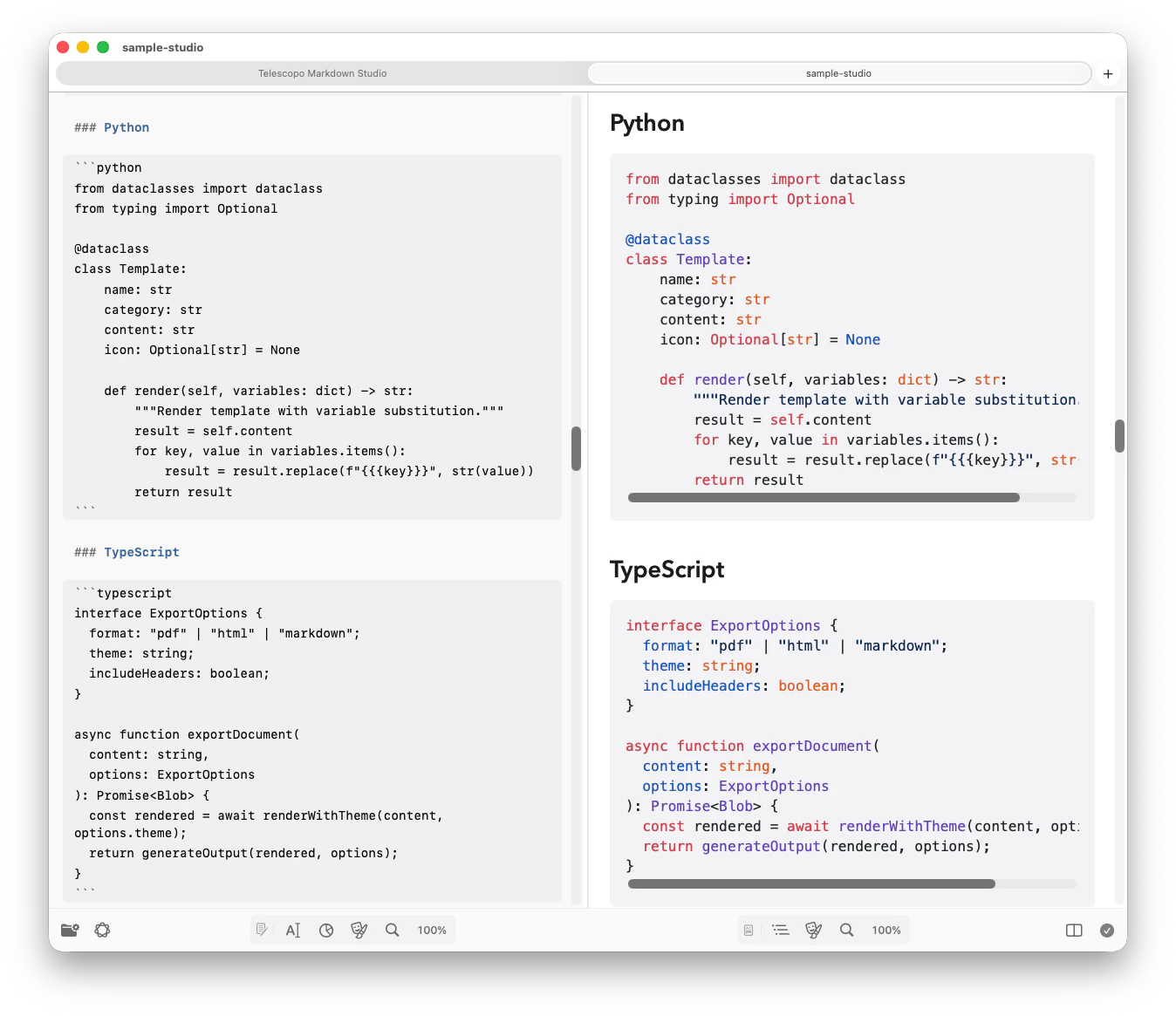
Telescopo Markdown Studio pairs a native Markdown editor with instant rendered preview, so your source and finished document stay side by side while you work.

Write source Markdown beside the rendered document in one focused macOS workspace.

Keep local files current with iCloud Sync and Live Monitoring while you edit or review.

One command bar.
Every Markdown workflow.

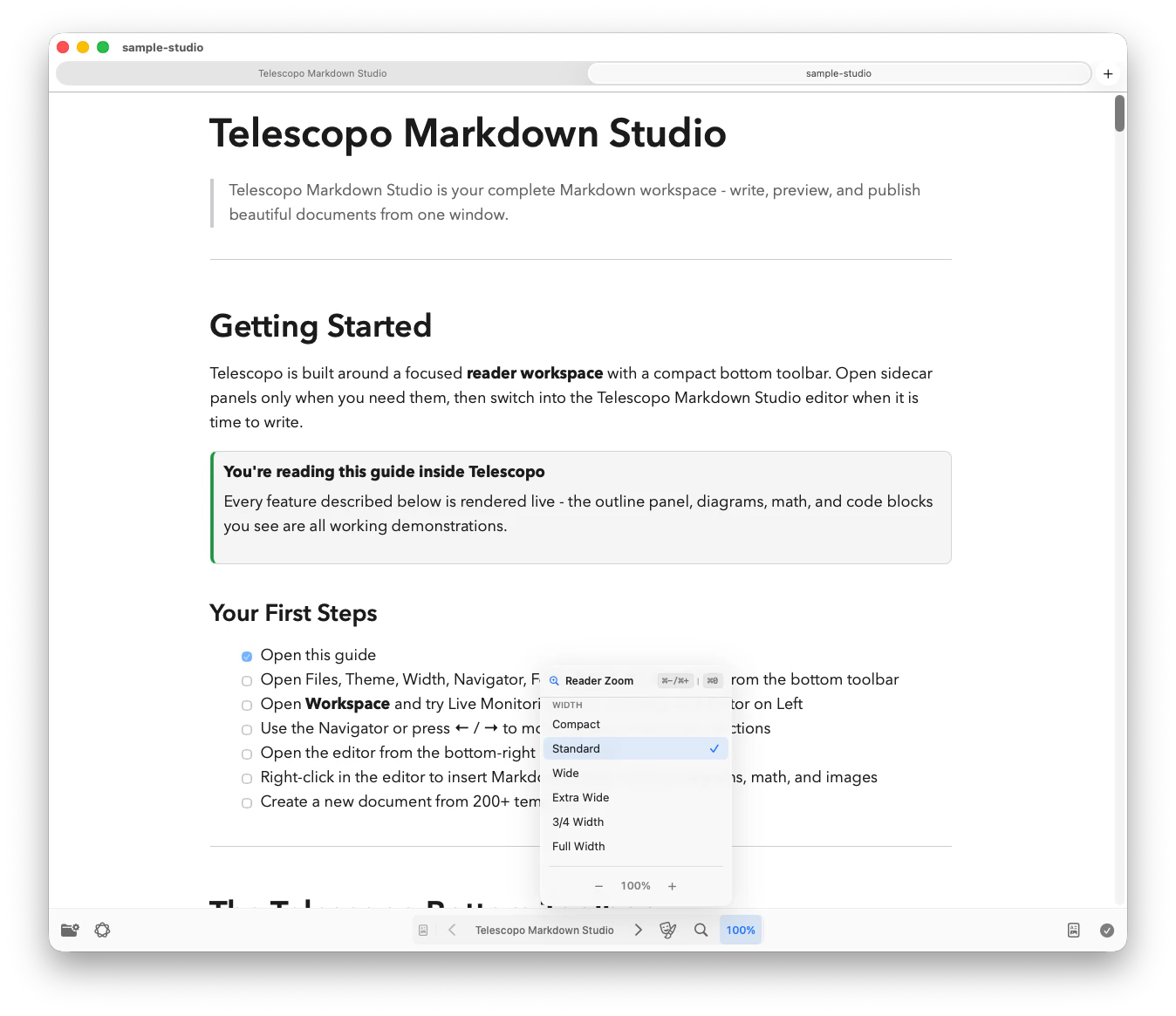
Controls adapt as you move between Reader, Editor, and Split views.

Telescopo Markdown Studio adaptive command bar with Workspace, Editor, Reader, view, and save controls

Powerful Markdown.
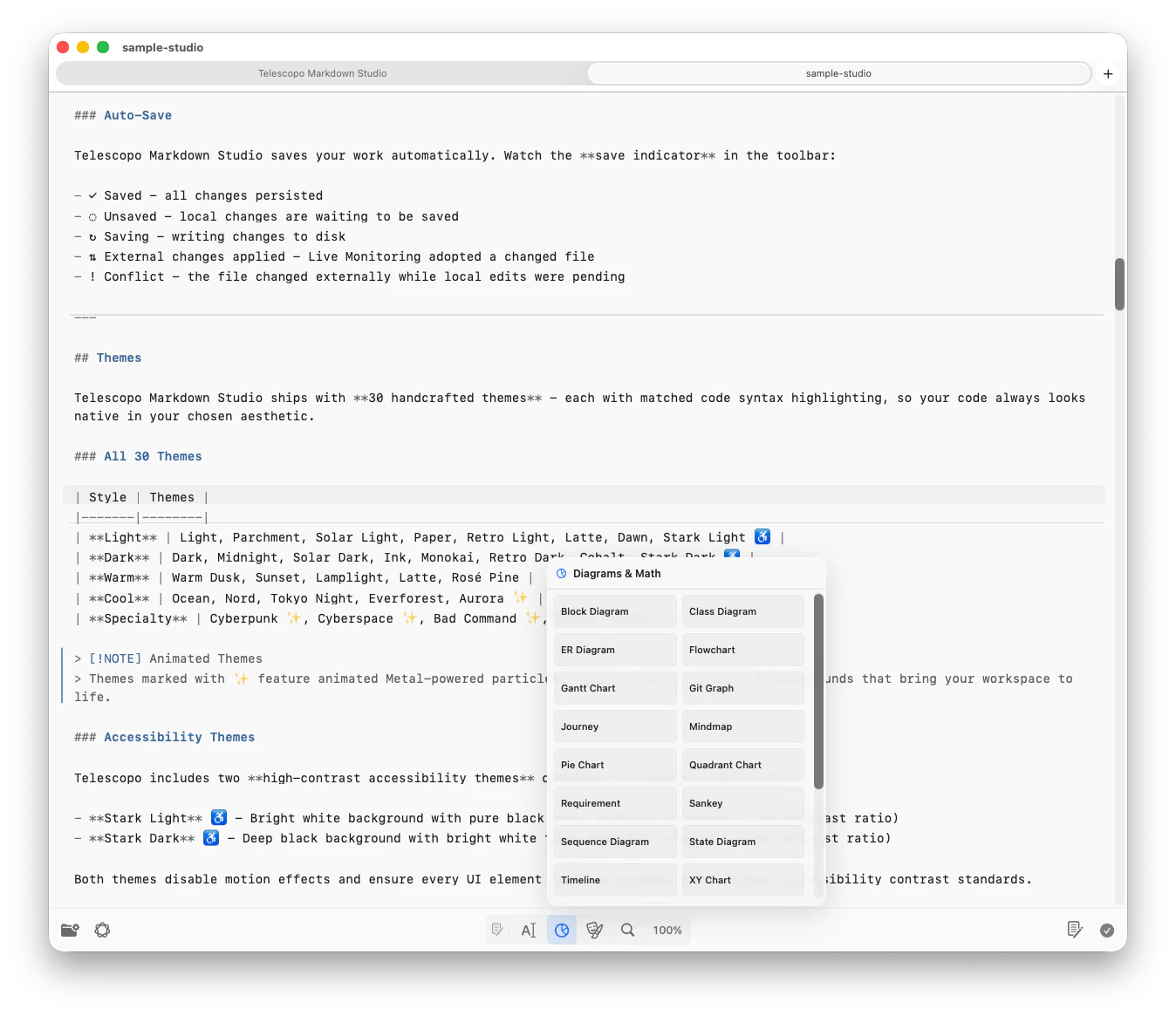
Insert Anything Fast.

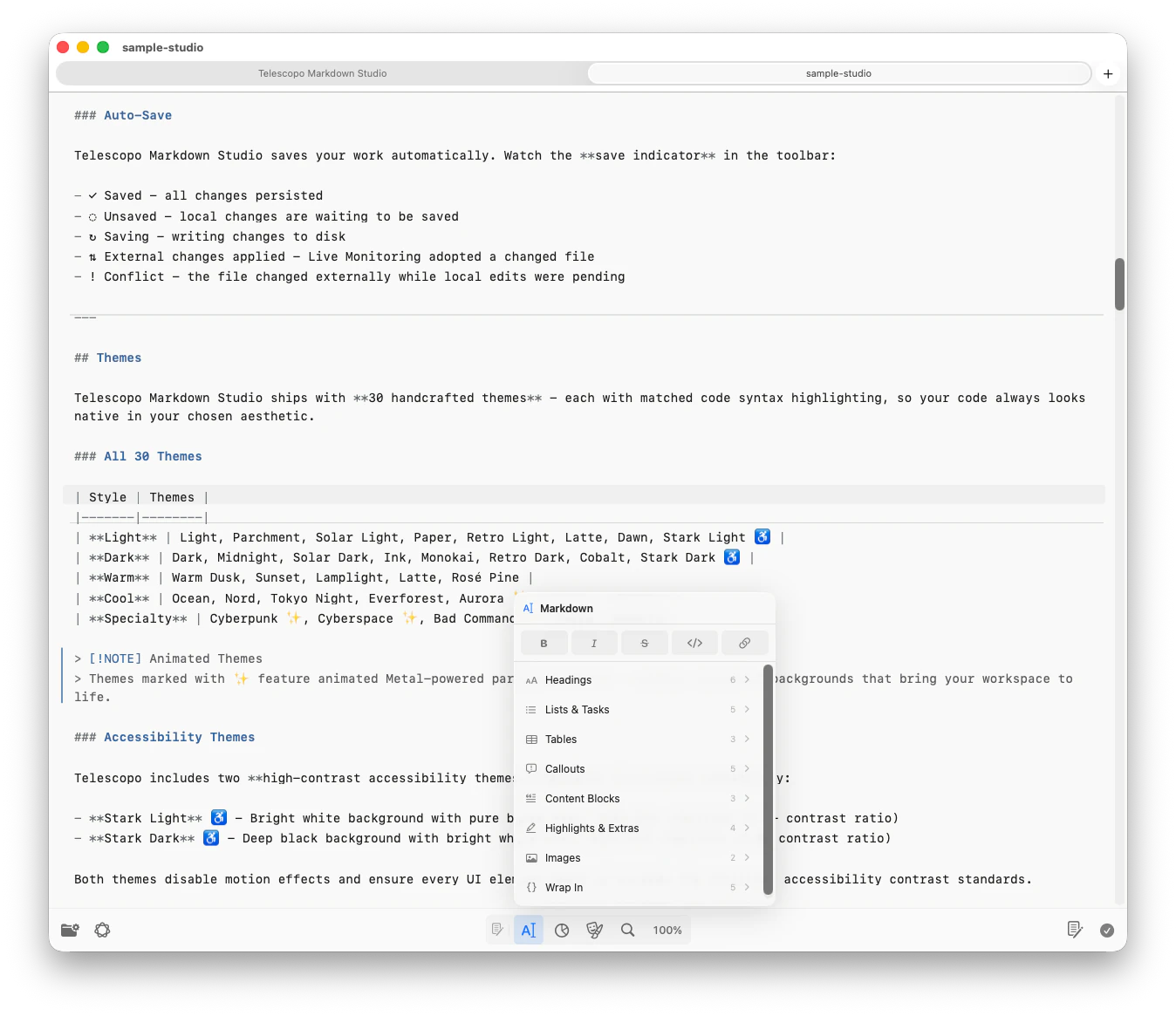
Format text and insert tables, callouts, Mermaid diagrams, LaTeX math, and advanced Markdown from a fast editor context menu. Start from 200+ templates, then refine the document in Telescopo.

Open quick editor tools to format text, insert tables, and add structured Markdown without leaving the document.

Drop in Mermaid diagrams, LaTeX math, callouts, and reusable blocks while staying in flow.

Native Diagrams.
Beautiful Math.

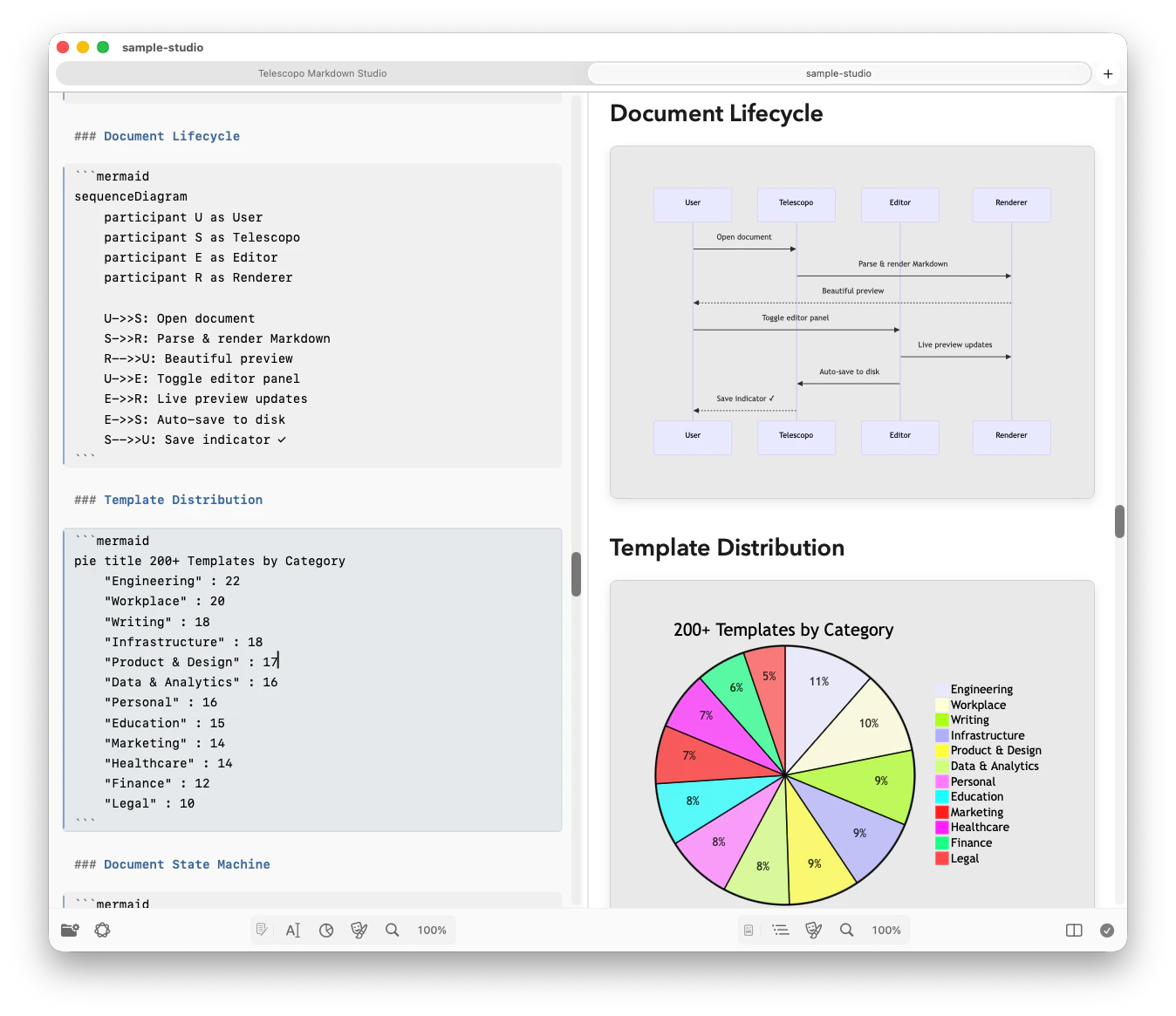
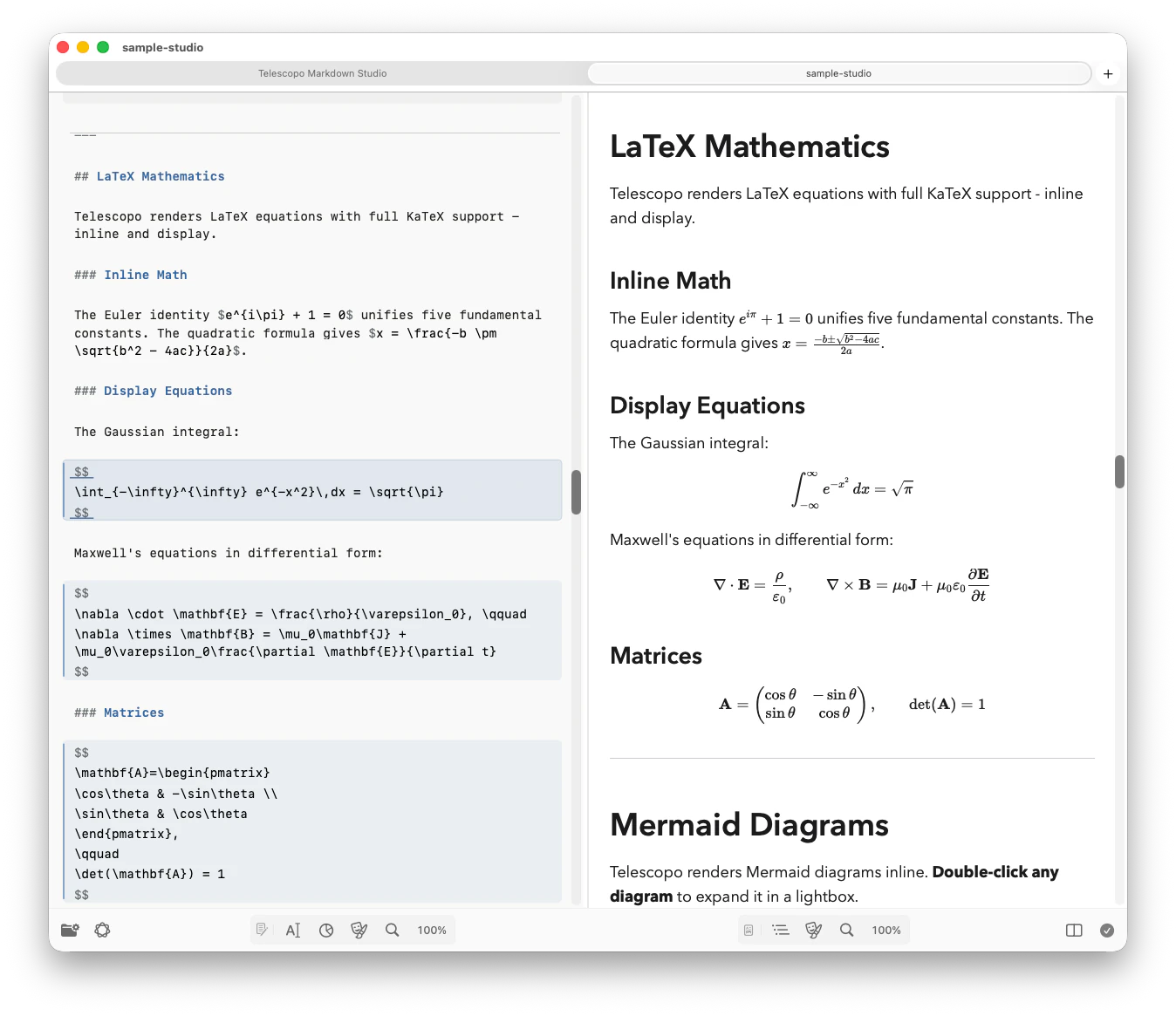
Included with Telescopo: embed Mermaid diagrams and LaTeX equations directly in your Markdown and render them natively, with no external tools or browser extensions required.

Mermaid Diagrams render flowcharts, sequence diagrams, Gantt charts, class diagrams, and more inside Markdown.

LaTeX Mathematics supports inline and display equations, from simple formulas to multi-line systems and matrices.

Dynamic Navigation.
Fast Travel Your Docs.

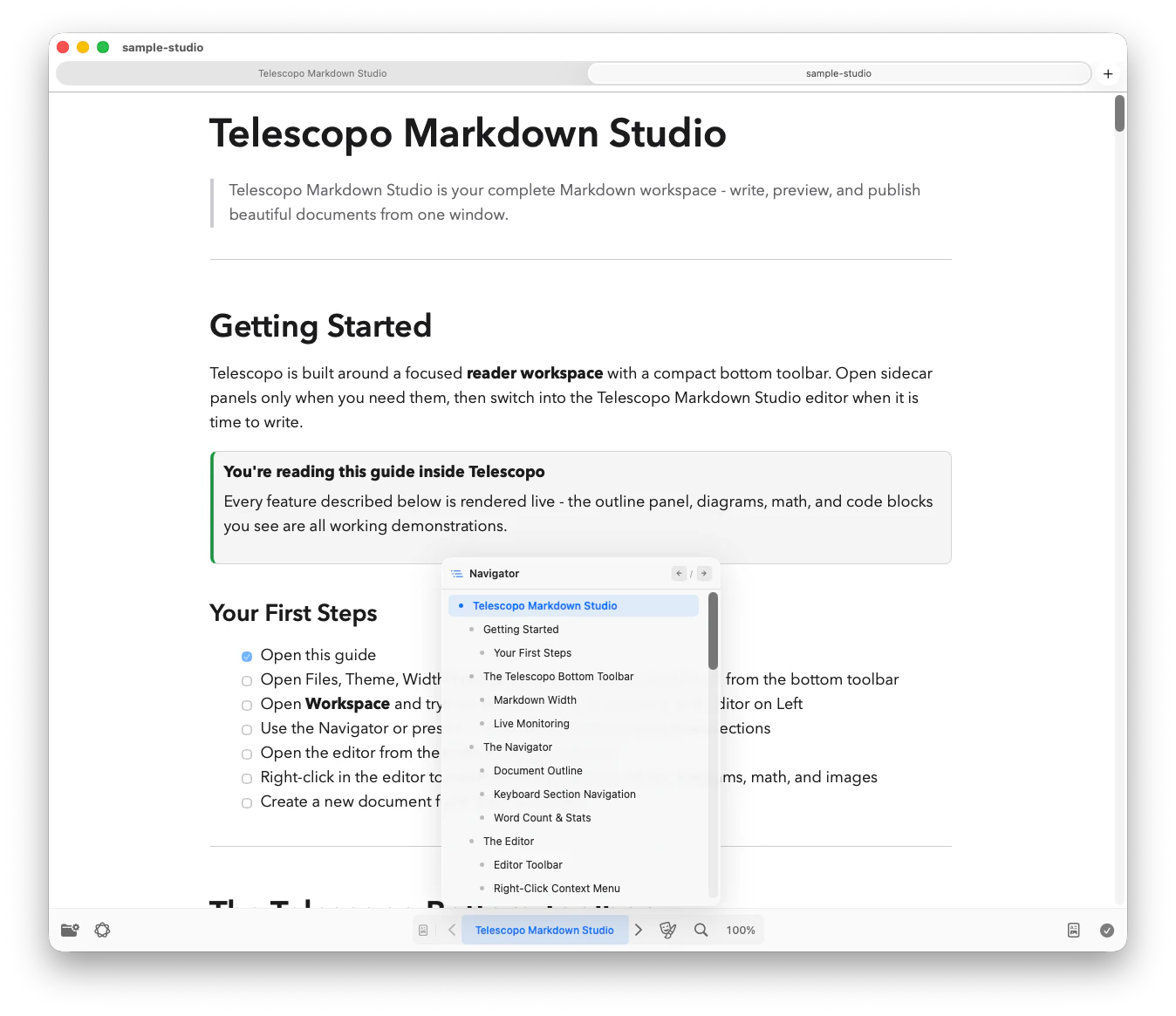
Included with Telescopo: Telescopo Navigator generates a live, scrollable outline from your document's heading structure with scroll-spy tracking, one-click jump-to-section, and Left/Right keyboard shortcuts for moving between dynamic sections.

Scan long Markdown files through a live outline that tracks your current section as you read.

Jump between dynamic sections with one click or Left/Right keyboard shortcuts.

Export to PDF.
Accurate, adjustable.

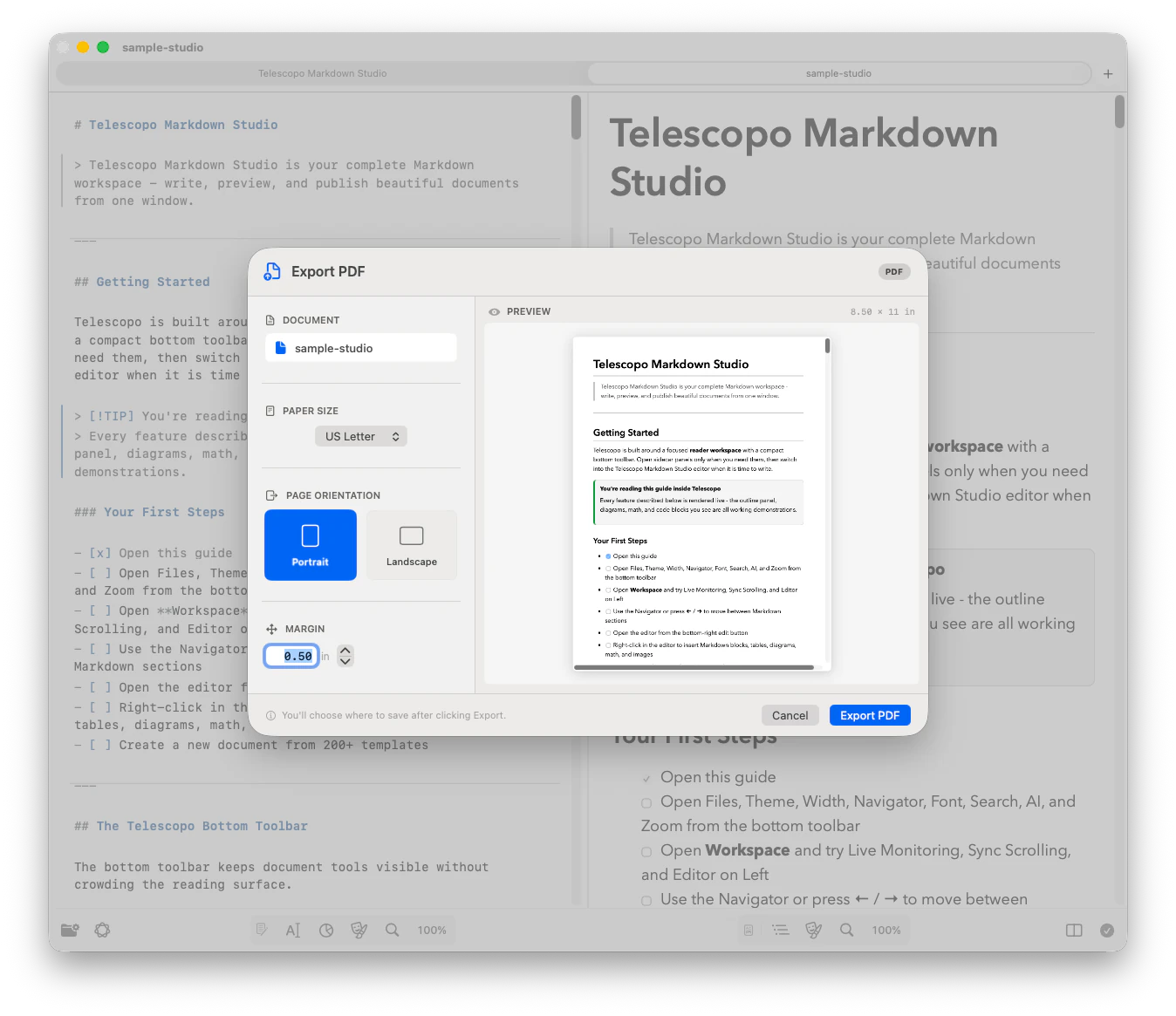
Included with Telescopo: export rendered Markdown with diagrams, math, images, and code to PDF with your chosen theme preserved. Preview US Letter, A4, Legal, A3, and Tabloid output with custom margins in portrait or landscape before saving.

Preview portrait or landscape exports with paper size, custom margins, and rendered Markdown before saving.

Preserve your selected theme, syntax highlighting, Mermaid diagrams, LaTeX math, and images in the exported PDF.

Explore Markdown to PDF export →
Telescopo Markdown Studio PDF export preview with portrait and landscape controls, margins, paper size, and rendered Markdown output

Ask Your Document.
Get Answers.

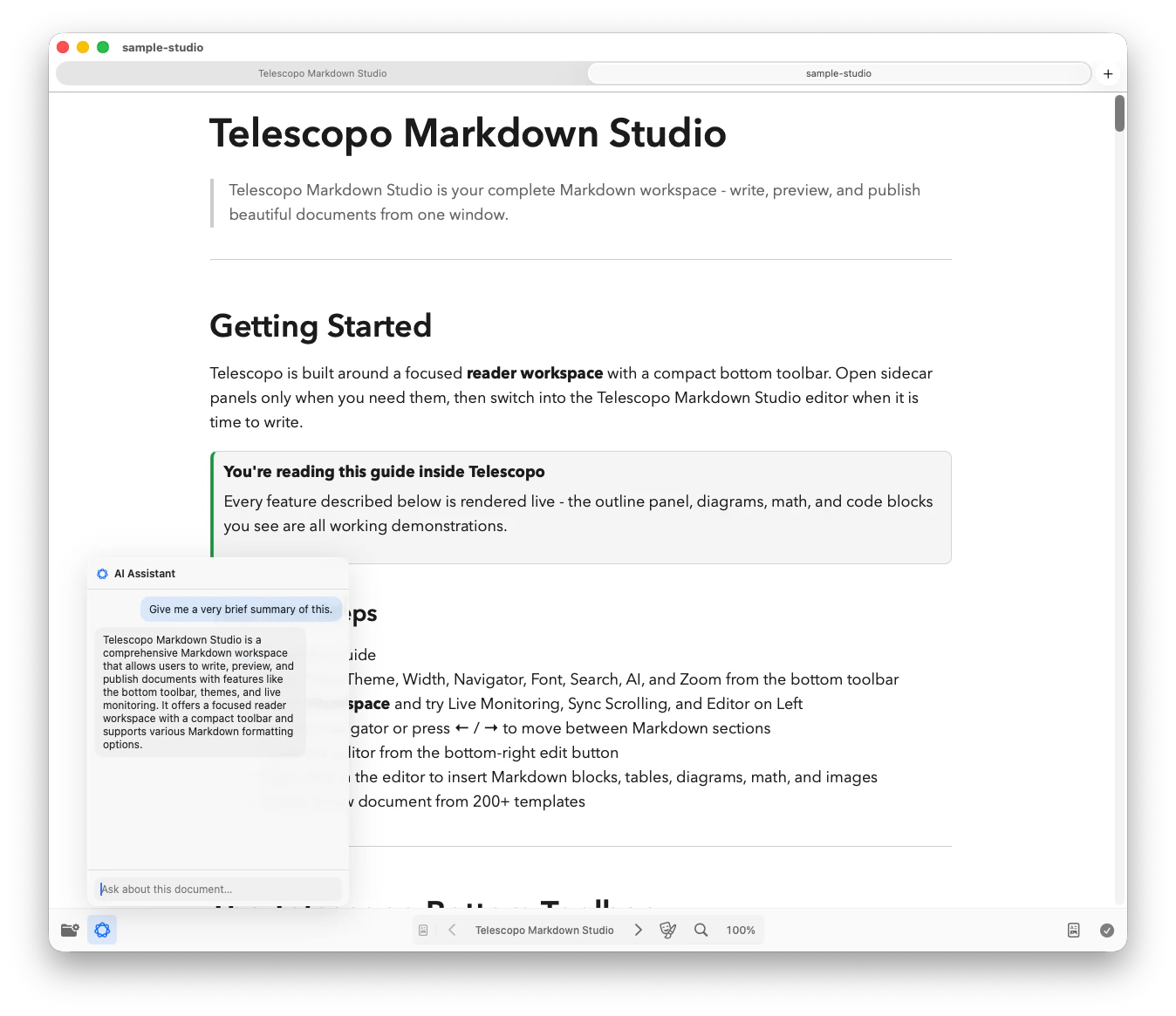
Included with Telescopo: a conversational AI assistant that reads your document and answers questions about it. Summarize, extract key points, or query the current file entirely on-device using Apple Intelligence. Your data never leaves your Mac.

Summarize long Markdown documents, extract key points, and ask follow-up questions in context.

Use privacy-focused, on-device AI on supported Macs without sending document contents to a server.

30 Handcrafted Themes.
Read, beautifully.

Explore the complete theme library during the 7-day trial, including animated themes for documents, code blocks, diagrams, and the toolbar.

Trusted for real Markdown workflows.

4.6 stars

Telescopo Markdown Studio

Create, read, edit, and export Markdown in one native Mac workspace.

  • Fast Markdown
  • Reading width
  • Light/dark themes
  • Search
  • In-Place Refresh
  • Split editor
  • Formatting controls
  • Markdown Command Menu
  • 200+ Markdown Starter Templates
  • Mermaid diagrams
  • LaTeX math
  • iCloud Sync
  • Live Change Monitoring
  • 30+ Beautiful Themes
  • Code syntax
  • Quick Section Navigator
  • Private AI Assistant
  • Markdown to PDF Export

7-day free trial with full workspace access

Common Questions

What is Telescopo Markdown Studio?
Telescopo Markdown Studio is a native macOS Markdown app for creating, reading, editing, previewing, exporting, syncing, and analyzing complex Markdown documents and diagrams. It includes a 7-day trial of full Telescopo access, including editing, live preview, 200+ templates, iCloud Sync, Live Monitoring, Quick Section Navigator, Mermaid diagrams, LaTeX math, Private AI Assistant, Markdown to PDF export, and code-aware syntax viewing.
Does Telescopo Markdown Studio include a free trial?
Yes. Telescopo Markdown Studio is available from the Mac App Store with a 7-day trial of full Telescopo access. After the trial, you can continue with Monthly Access, Annual Access, or Lifetime Access.
Is Telescopo Markdown Studio a native Mac app?
Telescopo Markdown Studio is a native Mac app built for macOS. It is not an Electron or Tauri wrapper. Native macOS design helps Telescopo feel faster, use system features more naturally, respect Mac conventions, and fit into serious desktop workflows without the weight of a bundled browser runtime.
Does Telescopo Markdown Studio support PDF export?
Yes. Telescopo Markdown Studio includes PDF export for polished Markdown documents, technical notes, diagrams, math, code blocks, templates, and writing workflows that need a shareable final document.
Are my Markdown documents private in Telescopo Markdown Studio?
Yes. Your Markdown files stay on your Mac. Telescopo does not collect document contents, file names, file paths, prompts, or personal information. Telescopo does not track you or send your Markdown workspace to Bad Command AI servers.
Can Telescopo Markdown Studio automatically stay updated with AI-written or externally changed Markdown files?
Yes. Live Monitoring is a Telescopo Markdown Studio feature that watches open Markdown files for external changes and refreshes them automatically while preserving your current viewpoint. It is useful when AI coding tools, scripts, or other apps are updating Markdown in the background.